Complexity in ZENO is reserved for the computer system it embodies. Your survival is totally dependent on your ability to program your way out of trouble.
— from the instructions for the game
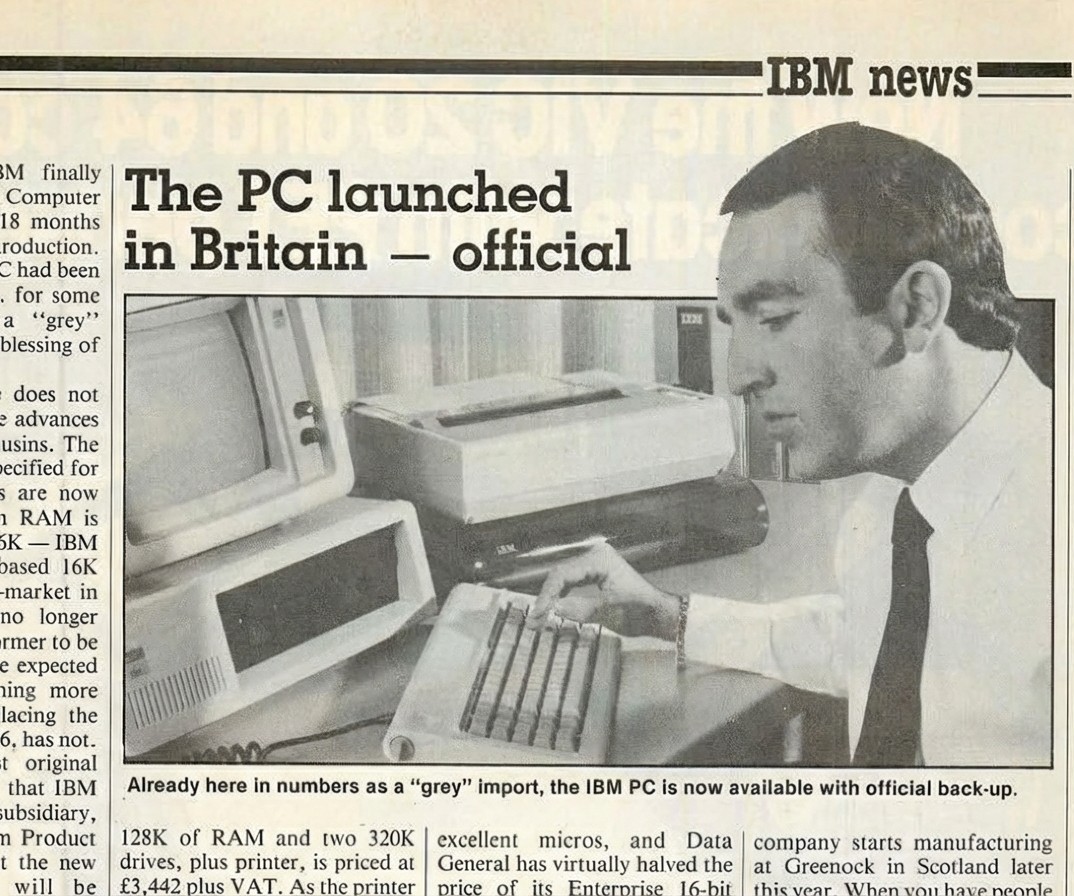
I’ve “finished” the game. It feels like a “first stab” at content from the author who intended more versions (as quite explicitly mentioned in the game itself). It’s quite possible Mitchell was distracted by his new job within IBM, as he wrote Zeno in January and February of 1983, and he started work the same year on the official launch of the IBM Personal Computer in Europe; the launch gets press mention in a March 1983 issue of Practical Computing. I might follow that and say “so he was done with Zeno” except: he did do a sequel of sorts. More on that at the end!
To make one thing clear right away for visualization purposes: this is the USS Zeno, that is, we’re on a crippled starship, not a base.
Last time I had explored the area…
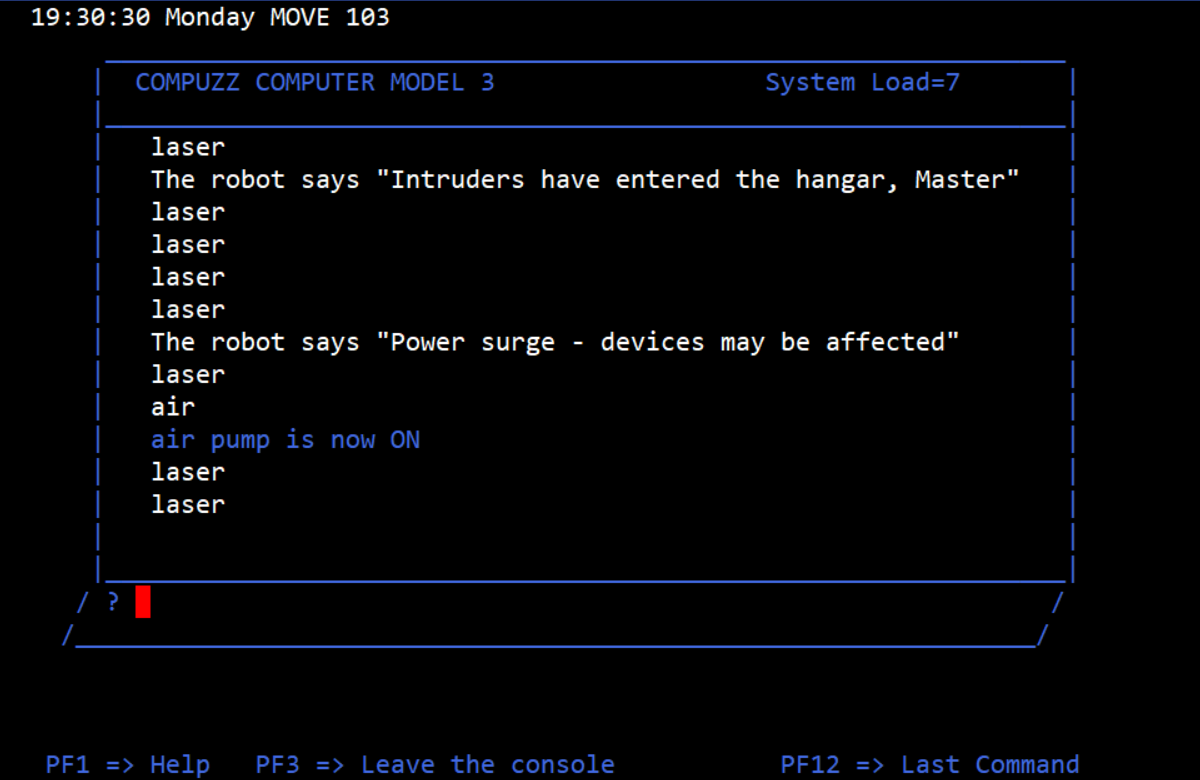
…and was attempting to a.) program the robot and b.) deal with the alien invasion. (In the middle you can have a power shutdown, which turns off the air pump.)
The game mentions “robots” plural and “aliens” plural at points but there’s only one alien (I’m guessing the plural part was aspirational). So you can think of this as a short story where we are on a remote outpost and get attacked by aliens (one at a time), and need to handle it by sending the robot. The alien always invades in the hangar, so you don’t have to have some kind of rotating complex setup in the code. There’s a second crisis after the alien which I’ll talk about when I get there.
The robot is on the second floor; it needs to go to the fourth floor where the action is.
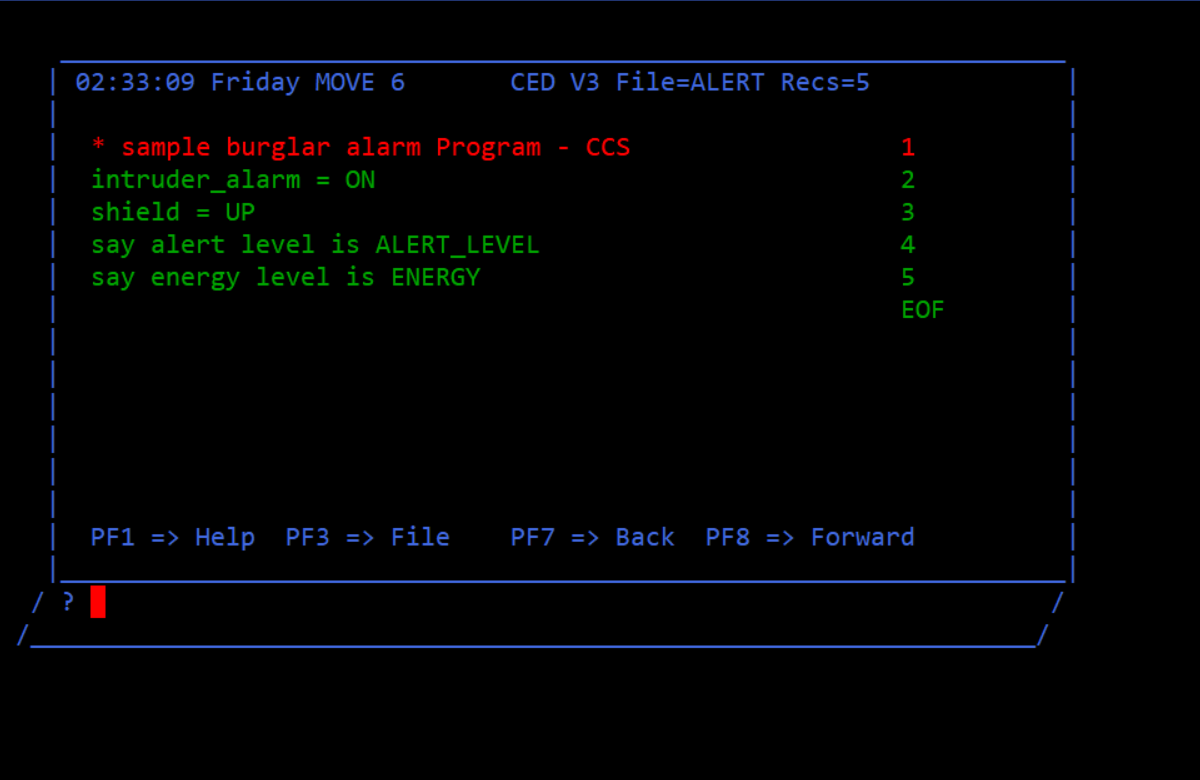
The alert program on. It turns out you don’t really want the shields on — the alien can bust through anyway, and it just drains energy.
It’s easier to stay on floor 1 at first as the computer is fully capable of editing; while terminals can run programs, they can’t edit them (at least by default; the game implies there is a way to enable terminal editing, but I never figured out how). So we need, in sequence
a.) the elevator to go to floor 2
b.) the elevator door to open
c.) the robot to enter the elevator
d.) the elevator door to close
e.) the elevator to go to floor 4
f.) the elevator door to open
g.) the robot to leave the elevator
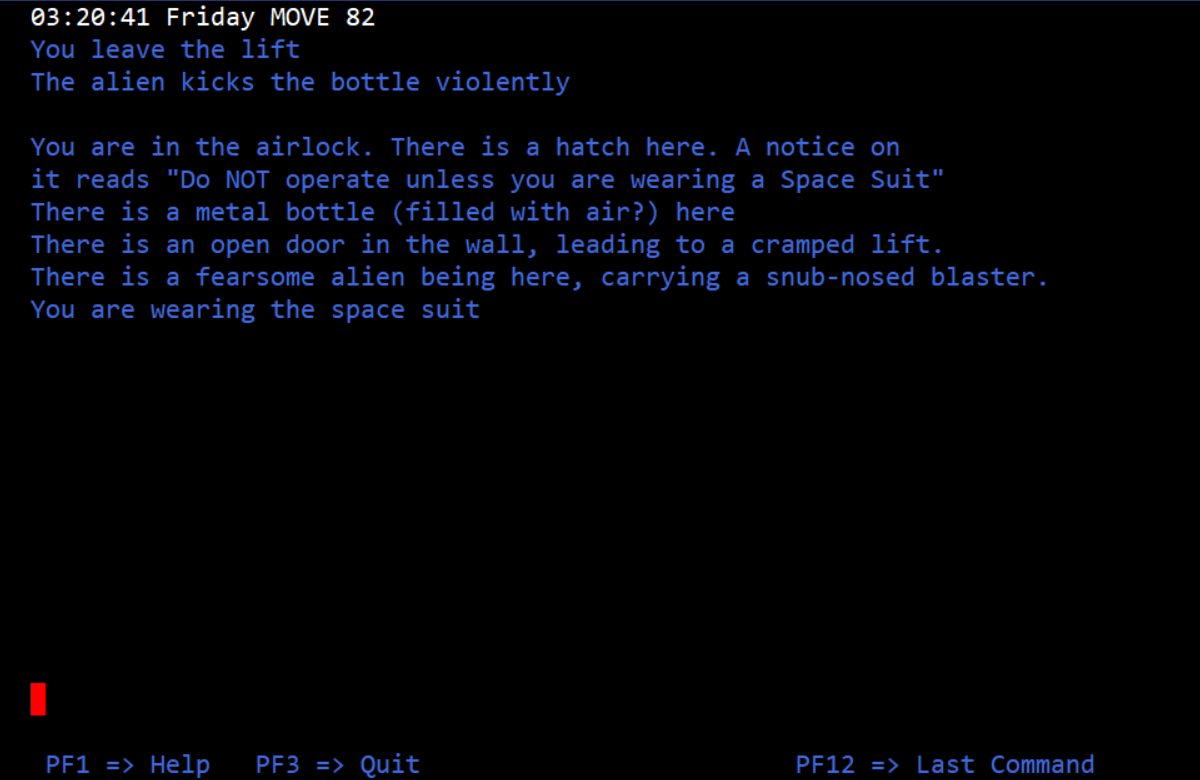
Entering the hatch seems to be optional, as the aliens will seem to arrive just inside the hatch rather than outside.
This is, straightforwardly:
LIFT_DOOR = CLOSE
LIFT_FLOOR = 2
LIFT_DOOR = OPEN
ROBOT = DOOR
LIFT_DOOR = CLOSE
LIFT_FLOOR = 4
ROBOT = WAIT
ROBOT = WAIT
LIFT_DOOR = OPEN
ROBOT = DOOR
I also made a separate program to send the lift back to the first floor so I could get back on.
LIFT_DOOR = CLOSE
LIFT_FLOOR = 1
LIFT_DOOR = OPEN
Turn 24 is when the alien(s) arrive (“MSG at 24 from Rigel IV: aliens in your sector”). There are other messages which seem to not necessarily be consistent; I’ve seen
from Beta Crucis III: USS Enterprise lost to aliens
and
from Fomalhaut IX: destroy USS Enterprise on sight
and
from USS Enterprise: surrender or die!
but not always, and I’m not sure if there’s some system to it. When the aliens appeared I applied a program where ROBOT = LASER was executed multiple times (I think only once is needed, but I wanted to be safe).
Regarding the “power surge” message, every once in a while the air pump turns off. I’ve been turning it back on manually, because I’ve done everything from the computer room, but you could implement code that automatically checks if the pump is off and turn it on again if so.
I was prepared to stop there and had a post ready last week, but I tested out waiting for more turns and found one more wrinkle to the plot which forced me to play for longer.
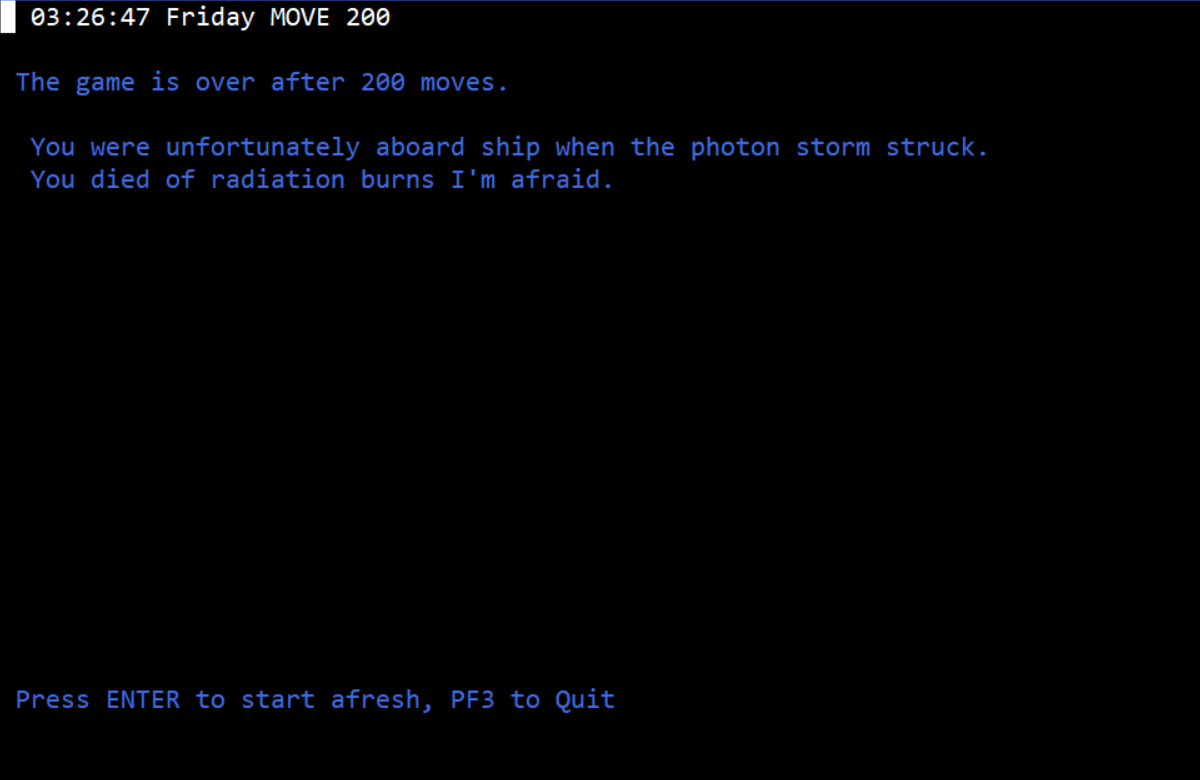
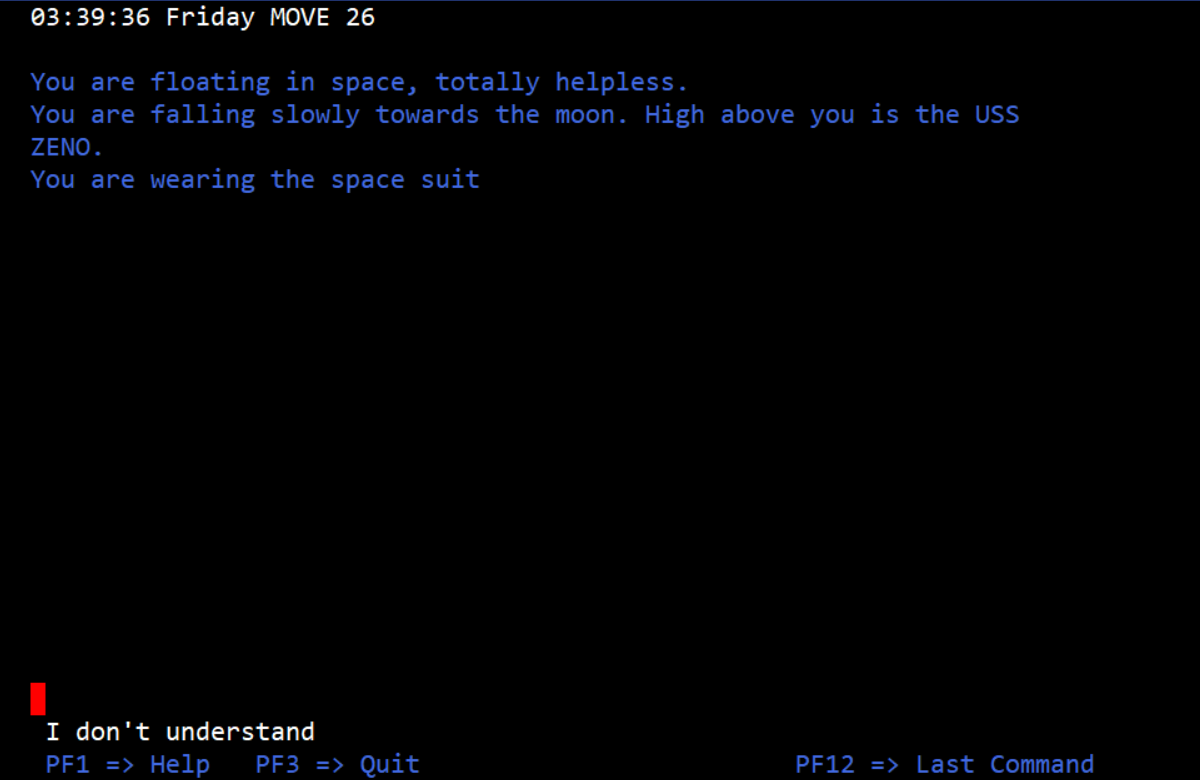
At 200 turns exactly a photon storm hits and kills you if you are on the ship. So the only way to survive is to … be off the ship! One way to do this is to simply fling yourself through the hangar door while wearing a space suit.
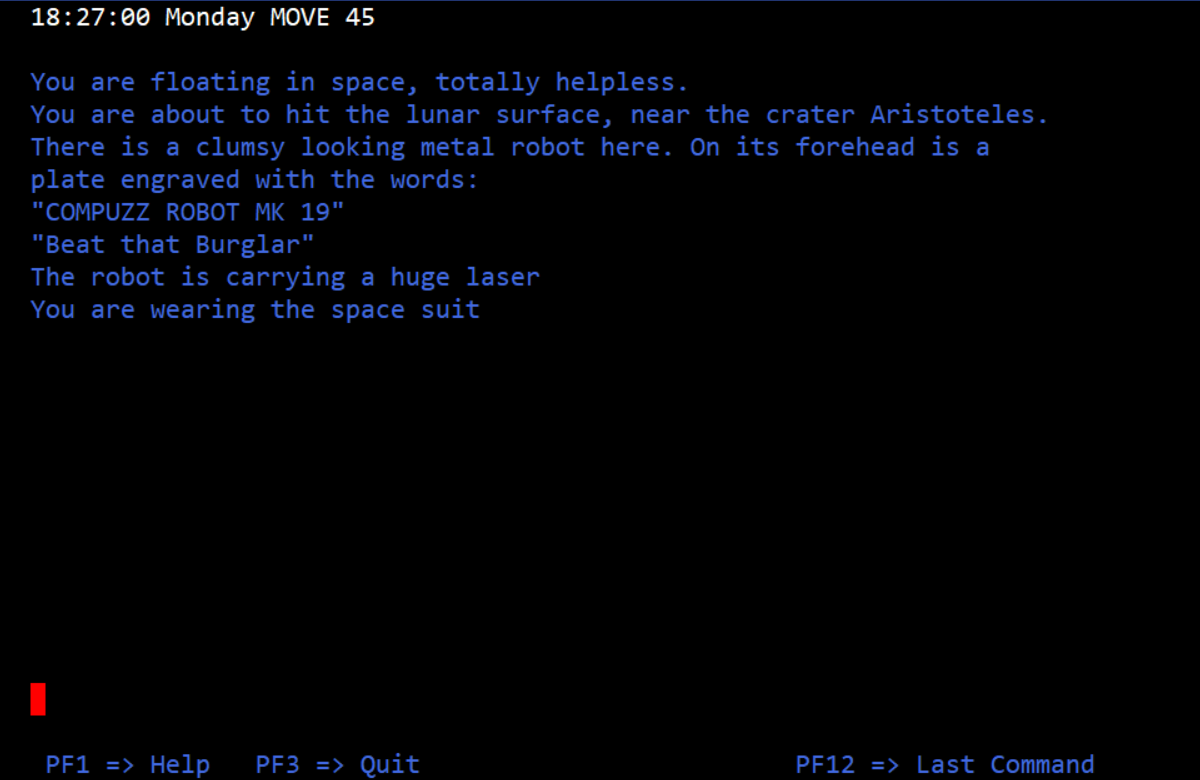
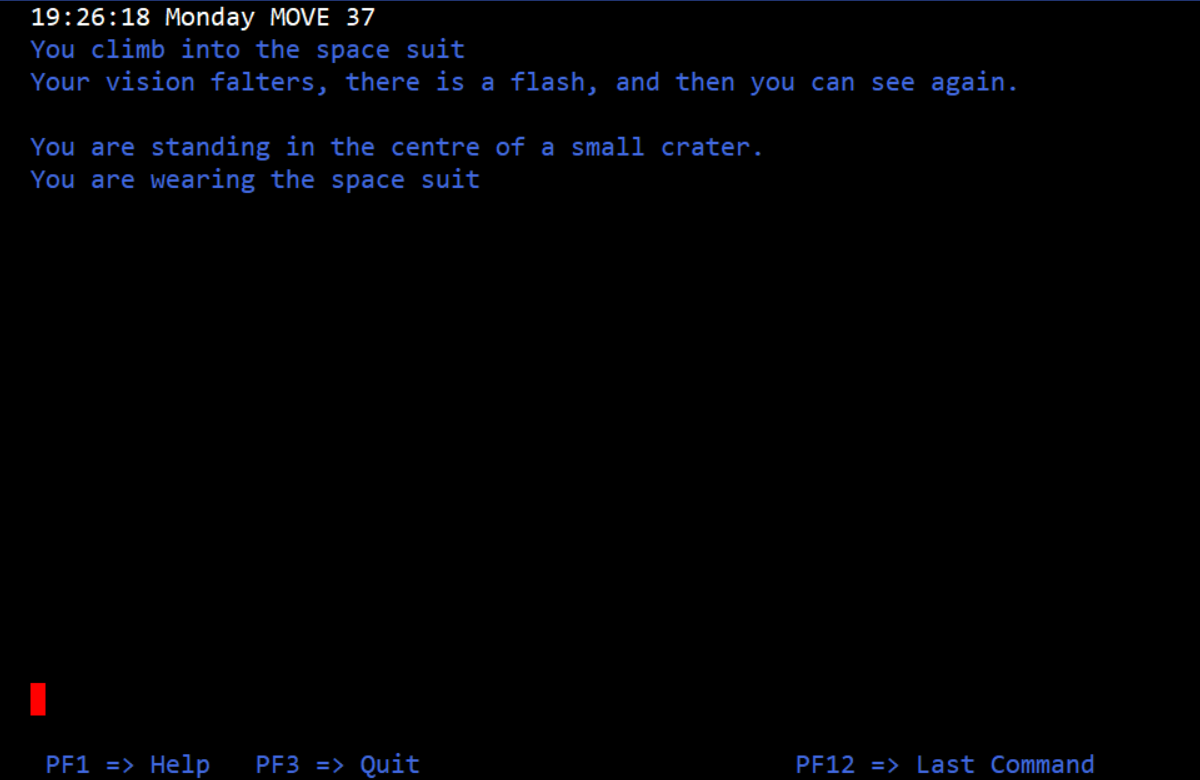
The full list of descriptions:
A klick or so away is the huge, crippled bulk of USS Zeno. While far off to your right can be seen the strange geometry of an alien battle cruiser.
You are falling slowly towards the moon. High above you is the USS ZENO.
You are falling rapidly towards the moon. It looks as though you will impact somewhere west of the Alps.
You are about to hit the lunar surface, near the crater Aristoteles.
You are standing in the centre of a small crater.
On the crater you have nothing to do now but wait for your suit to run out of oxygen. Unless you’ve planned beforehand!
Remember this game has a matter transmitter. I hadn’t noodled with it yet, but found rather than using the “desk terminal” (which you can do by setting MT_MODE = MANUAL) I had an easier time just writing programs.
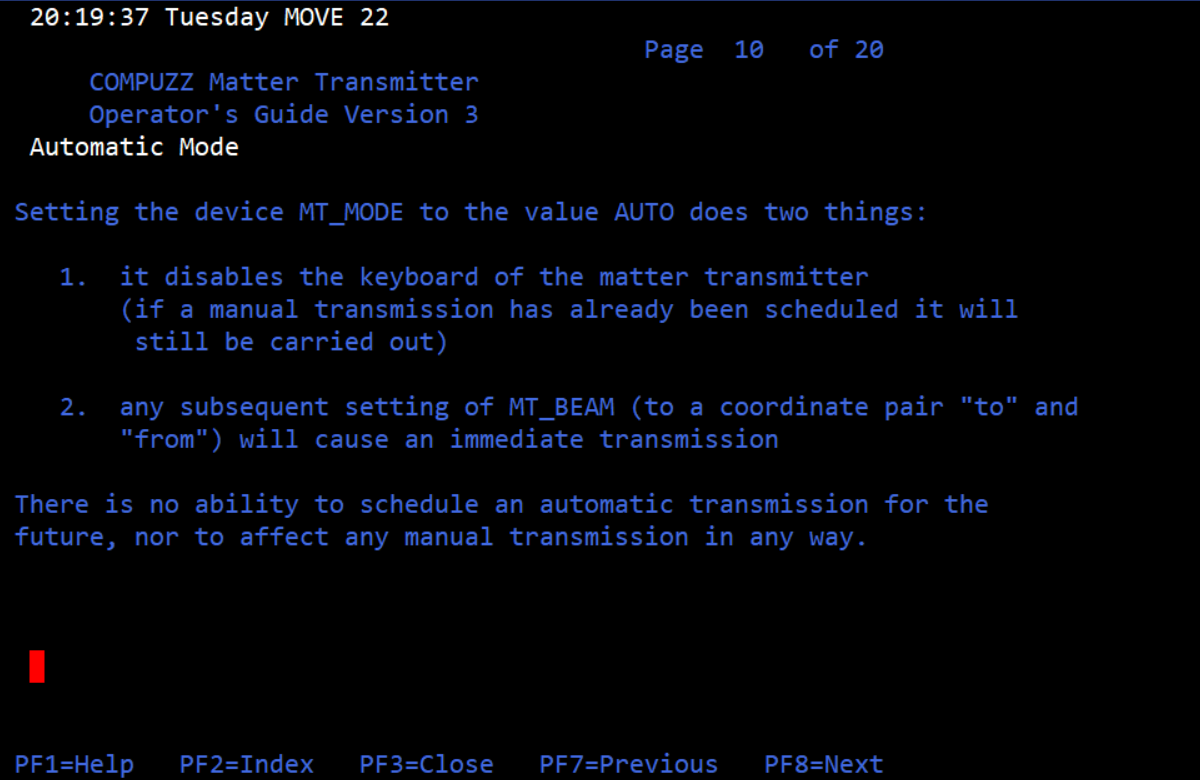
MT_MODE = AUTO
MT_BEAM = 565-23 84-212
This will teleport the robot at the start of the game from the second floor to the first floor.
The numbers can come from the robot itself, with the simple program
probe = ON
say location now POSITION
although while I state that with authority now, the actual gameplay puzzling out everything above took over an hour.
Due to confusing wording in the instructions, I hit this a few times. You need to apply a number to WAIT, it does not default to 1.
I was able to get the robot to jump out of the ship but unfortunately the probe was not giving me correct locations! There seems to be an outright bug here as the robot is visible in all the “in space” locations even though based on my time it should have only been visible at the crater.
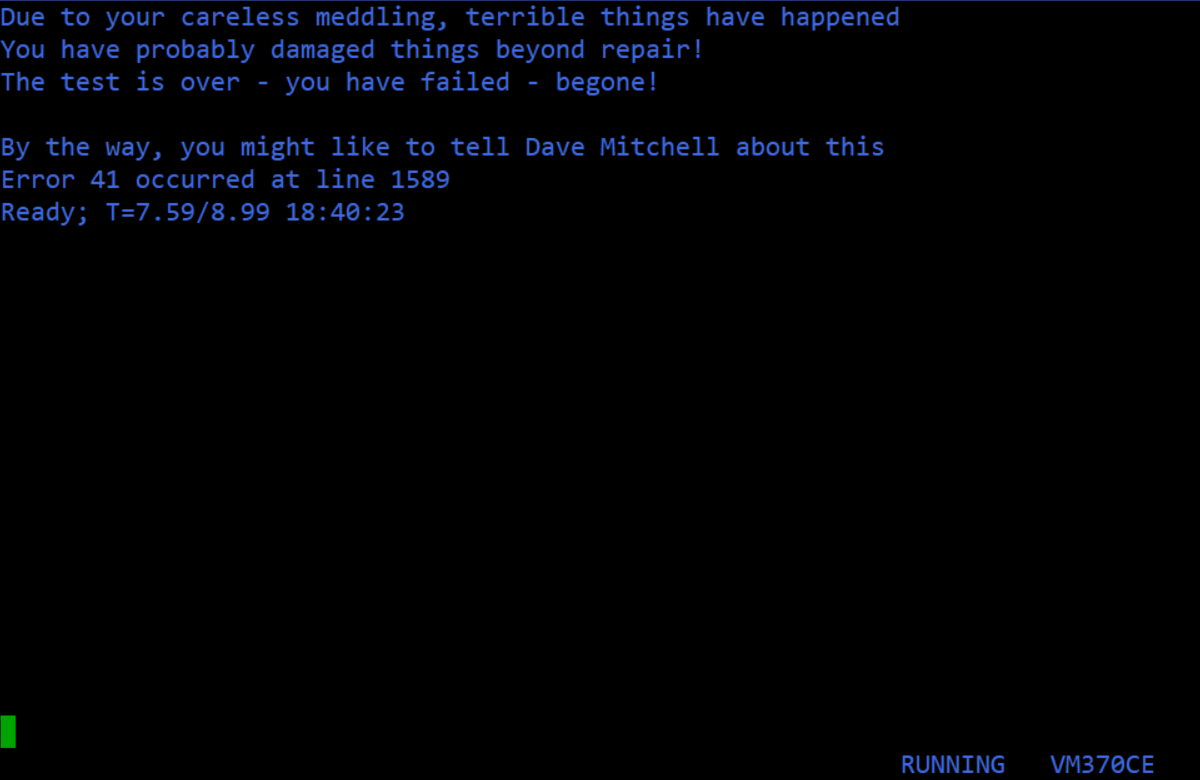
This means I had no method of figuring out the coordinates for saving myself, and I’m not sure if the game provided one (because, again, the robot seems buggy, which indicates what happened to me is unintentional). I resorted to checking the source code. Fortunately, REXX code really is easy to read.
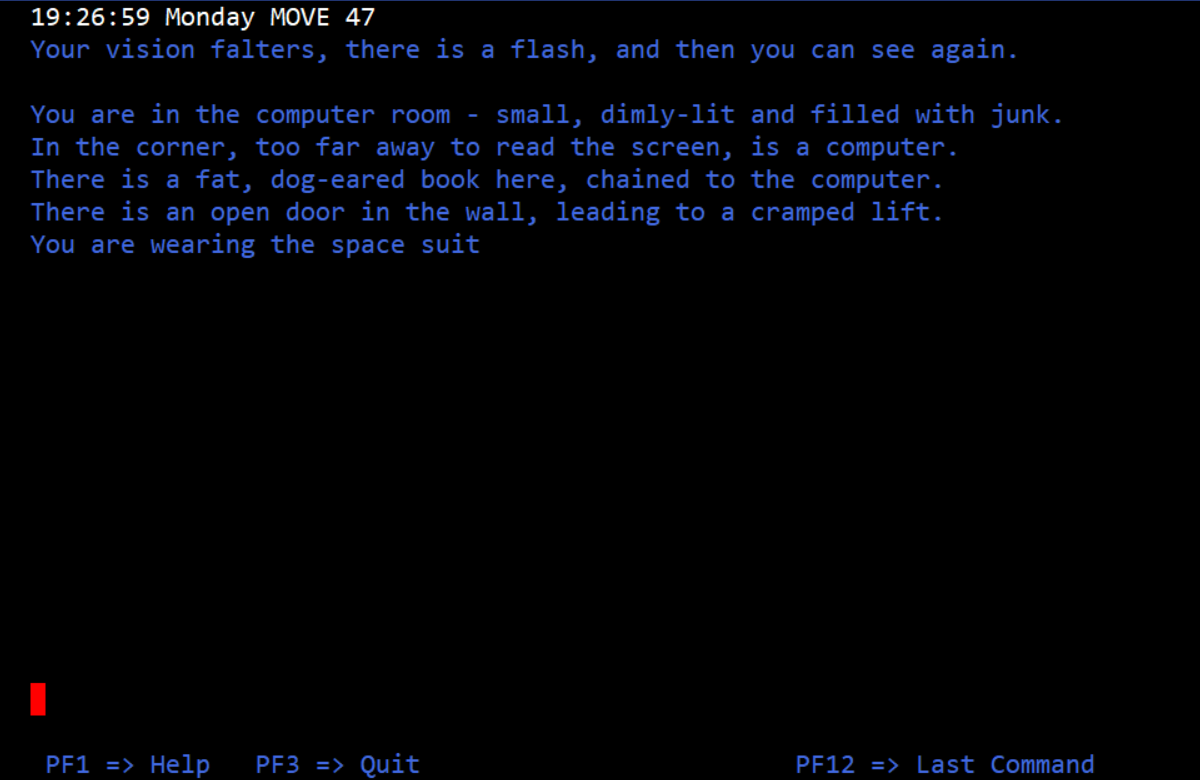
84-212 is the start room (I knew this from the robot probe). The later numbers are the ones in space. Unfortunately I couldn’t just activate the transmitter straight away when I needed to escape because you must be wearing the space suit, and you can’t type while wearing a space suit (fair). So my escape program came out like this:
This gives just enough time to step away from the terminal and put on the space suit before being yanked away. Then after a set time (when the storm has ended) it reverses the teleport back to the start.
Given I can then wait an unlimited number of turns from here, I call that victory.
As I already mentioned, Mitchell clearly had other plans but got yanked away by job obligations given the timing of the IBM PC launch in the UK. Fortunately, he was able to return to ZENO several years later with a book and accompanying DOS program.
Courtesy Gunther Schmidl.
I’m not going to give details right now, other than the game still has a robot to command, but you now also can use normal adventure-movement commands (it wants a verb and a noun, shock!) and there’s a full plot and so forth. So ZENO mainframe could even be considered the template for the book version of the game.
You wake.
You seem to be encased in a misty whiteness that presses in on you. For a moment you panic, then you remember Dr. Flyte telling you that this is how it would be. “Just push” he said. It seems a long time ago.
You are sitting in a hibernation pod. It’s closed. The control knob for the pod is turned off.
The book-game is also short (by necessity of it being from a book) but we’ll save looking at it in the future (copyright on the game is 1986).
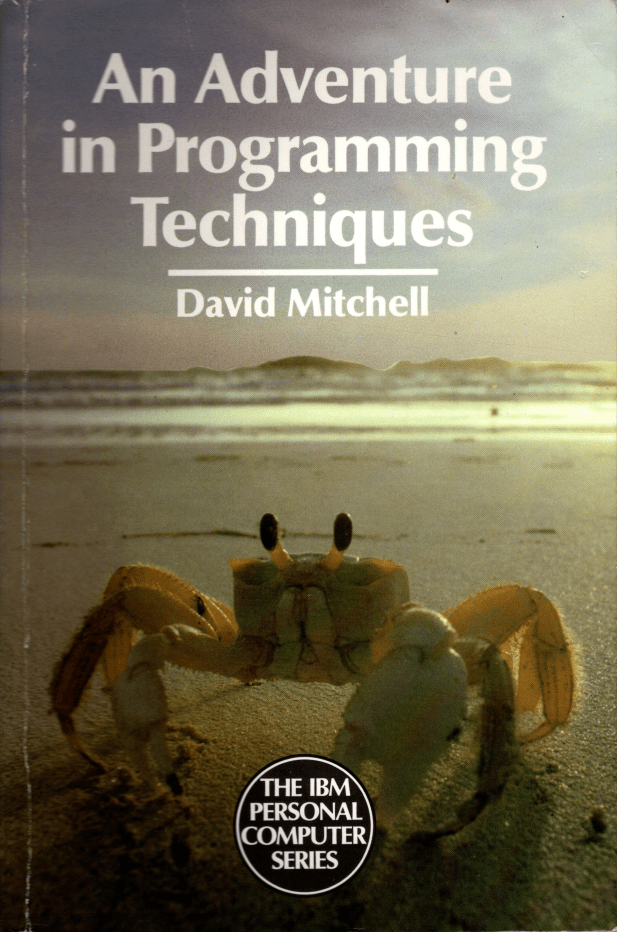
Programming is very much a craft, and this original book is aimed at all those who are looking for something to broaden their programming horizons. The author uses the implementation of adventure or fantasy games as a medium for introducing the tasks of designing, programming and testing. Adventure games offer an amazingly rich vein for this purpose; there’s scarcely a corner of computer science they don’t or can’t touch. They offer a considerable challenge, even to the most skilful programmer, and provide stimulating intellectual puzzles, humour and real enjoyment.
Returning to the mainframe version of ZENO, I do think having a programming game embedded in an adventure was a marvelous idea. I did spend more than half my time struggling with non-adventure things, some of which was not the fault of the game (emulator crashes, etc.) and some which definitely was (ambiguous instructions). With the editor, I finally found that if I typed Input by itself, the game would make a big set of blank lines, and then I could mouse-click on the first line and paste from my computer’s notebook. (I’ve never used something so torturous before, and yes, I’ve used vi, and can even tell you the difference between exiting with :x and exiting with :q.) I otherwise found code-editing to be an enormous hassle and it was very easy to try to insert a line and have it in the right place, or push the wrong direction key and have the game refusing to acknowledge any input until you restore the balance (or accidentally hit a function key that’s not one of the designated one, which crashes the whole game). Still, the learning is what I call a “perfect embedding” which is rare for educational software; within the fiction of the universe created it makes sense to use the programming in its native format. Compare with the allegedly educational Microworld (1981) which required deciphering puns rather than concrete engagement with the internals of the computer.
Back when I wrote about my favorite games of Tlön — essentially, imagining games from an imaginary universe where the usual rules may or may not apply — one of the ideas I tried to play with was the usual definition of a game. (Fun exercise for game designers: take a set of definitions of a game, and make a counterexample-game for each one, as Wittgenstein cackles in the background.)
Such definitions try hard to exclude, say, spreadsheets. So how could a spreadsheet (not something made in one, but the actual application itself) be a game? Theoretically, by making the operation of the software itself a puzzle to figure out; have unconventional UI tricks, and maybe convey everything in an invented language, and to even do your quarterly report you’d need to “solve” how the program works. Perhaps it could be inspired with elements from bad UI competitions.
I preface with this because operating ZENO is a little like my theoretical spreadsheet; puzzling out the editor especially (as in a text editor, for changing source code) has required dealing with cryptic documentation, and some of the documentation is tore off and located in other places on our space station/base.
(Or maybe spaceship; I think we’re “static”, like in geostationary orbit, but there’s enough weirdness going on I might be wrong.)
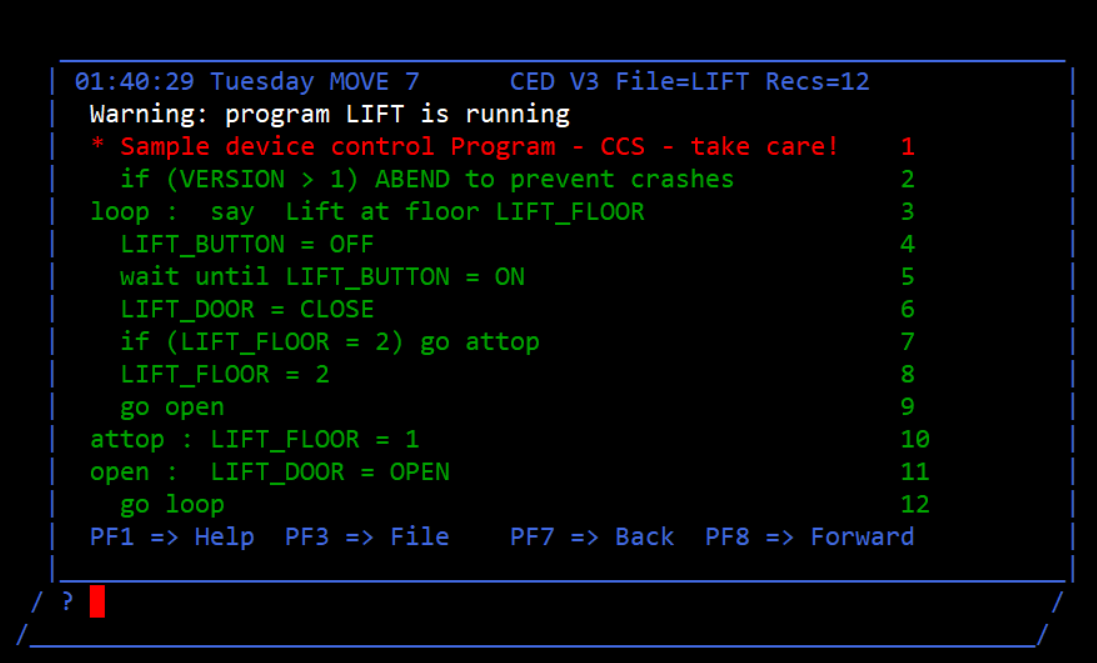
Consider the lift. I knew there was a “lift” program that you could run on the computer (by just typing “lift”) but I knew it only went to one other floor and back. The instructions are suggestive that there’s more floors.
Screenshot from last time.
After a bit of back-and-forth I realized I could type “edit lift” at the prompt and see all the code.
Here’s the first part of instructions for the editor:
line commands:
nnA adds nn blank lines (default nn is 1)
nnD deletes nn lines (including this one – default nn is 1)
nn” copies this line nn times (default is 1)
/ makes this the current line
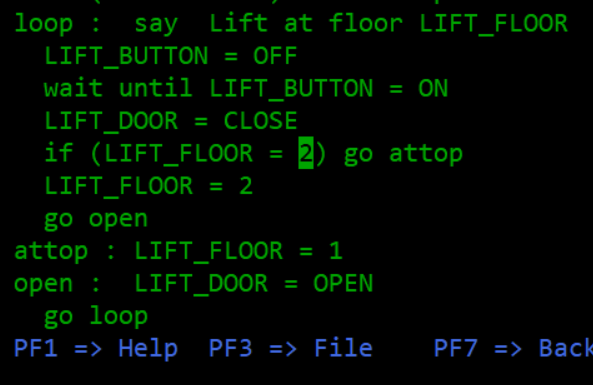
I have no idea how to enact any of these. I had to just ignore them and move on to a second page, which has more instructions with different ways of doing the same operations. For example, I can type :5 to jump to line 5, then type DEL to delete it. The important thing I had to pick up on is that pressing TAB switches between what part of the screen your cursor is on, so you can hop directly to particular lines and edit them (as opposed to retype something, using the command INPUT INSERT_TEXT_HERE). For example, I can hit TAB until reaching line 7, and right-arrow over a bit…
…and then change the 2 to a larger number. What this does is check the floor number, and if the lift is out of floors, it will jump to the part of the routine where it switches the floor back to 1. By making the number bigger, you can now have access to floors 3 and 4. (While you’re at it, you need to change the next line to LIFT_FLOOR = LIFT_FLOOR + 1 which will roll through the possibilities rather than just setting the floor outright to 2.)
Of course, realizing that you can do this in the first place is a puzzle, but the editor itself ended up being one too! While some of what it is doing resembles editors like EMACS, some aspects (like forcing the whole word INPUT before typing in text) are unique to the world of ZENO, so genuinely make a spreadsheet-game of sorts.
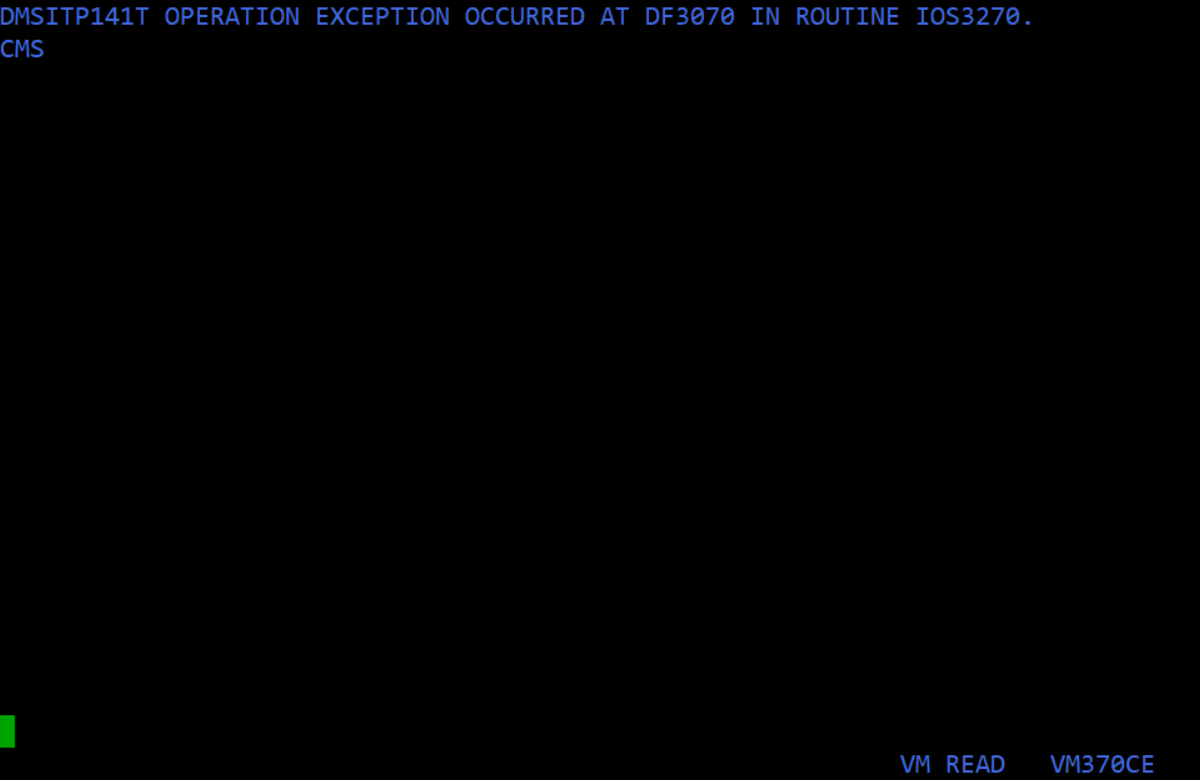
It doesn’t help that the game always seems on the verge of crashing. If you open up the help but go to a page that doesn’t exist, the game crashes and you need to restart; I don’t think this is an emulator bug.
With the lift fixed, I was free to explore what turned out to be four floors. (Trying to get to 5+ just has the door stay closed, and before anyone asks, the same thing happens if you try for a “floor 0”. Now that I think of it, I haven’t tried every floor, so it’s still possible there’s a secret floor 32 or some such. There’s also another potential trick later that I’ll explain with the LIFT_DOOR variable.)
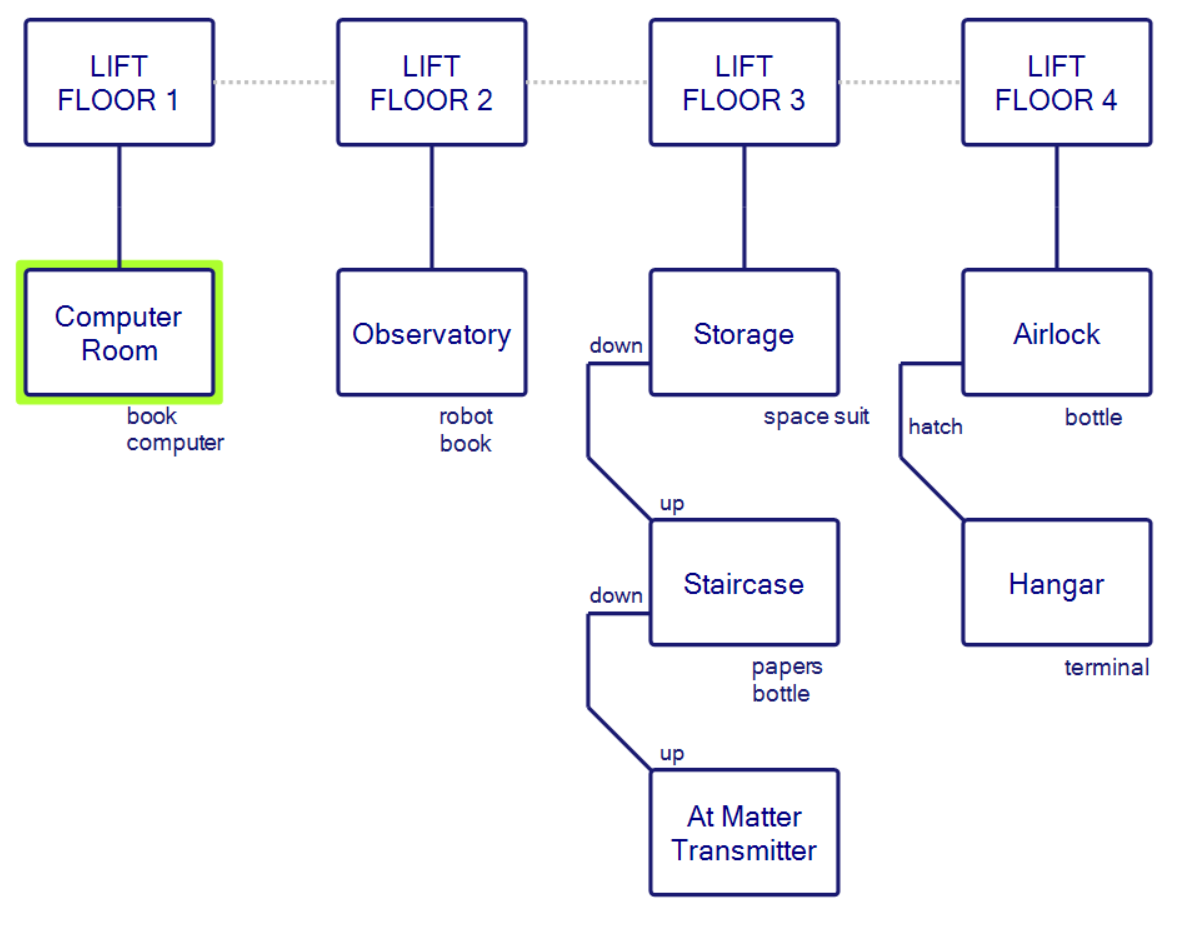
My map, so far:
More sections are predicated on secret things I’m missing, or the ability to use the matter transporter, which I haven’t been able to use yet. But let’s tour the floors in order:
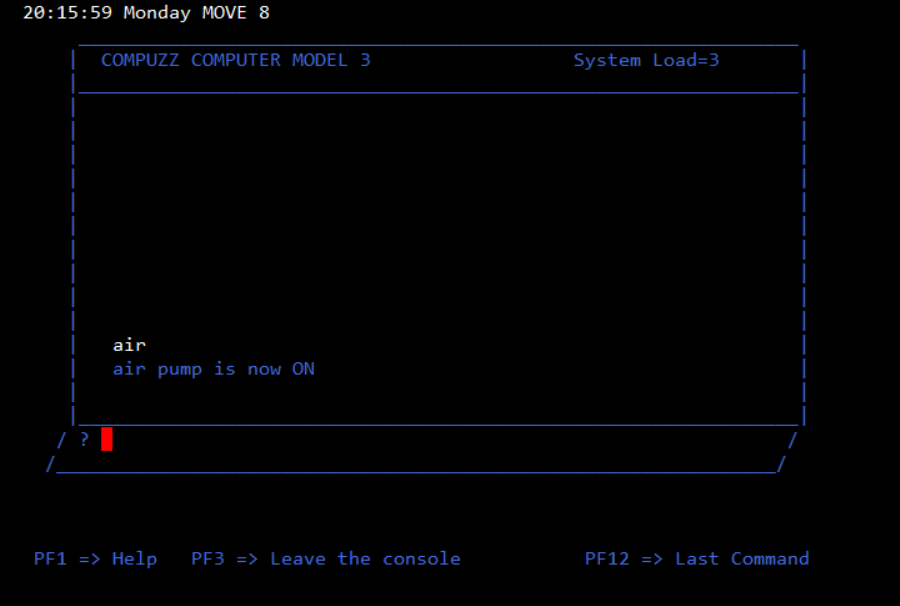
FLOOR 1: Where everything starts, and the location of the main computer. (First order of business: log on to the computer and type “air” to get the air pump working, otherwise you will suffocate and die.) The main “User Guide” is here and there are references to a “System Guide”, “Editor Guide”, “Programming Manual”, “Robot Programming Guide”, and “Matter Transmitter Operator’s Guide”. The Guide has some pages ripped out: 13, 15, 17, 18, and 19, and the last page warns that
A full list is included as an appendix in the COMPUZZ System Guide. Please read this carefully. Since COMPUZZ computers are typically used to control powerful and potentially dangerous devices such as lifts, burglar alarms, lasers etc, failure to observe the recommended procedures can be fatal.
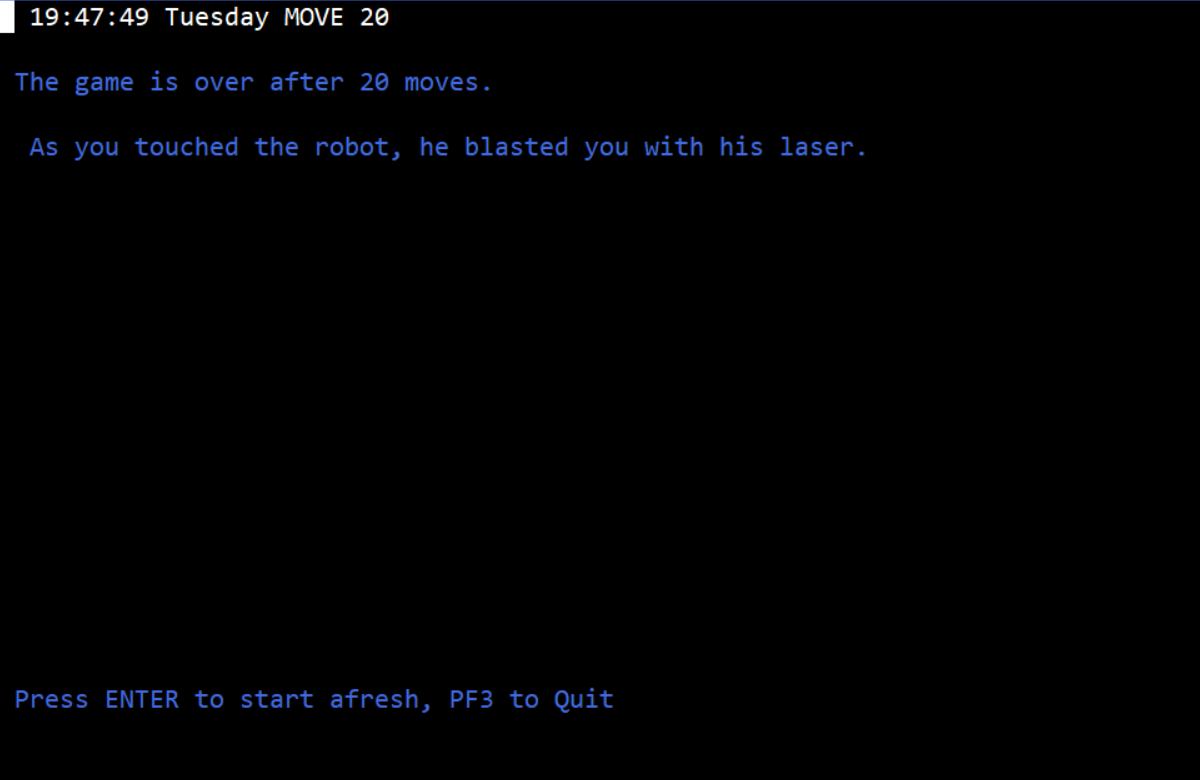
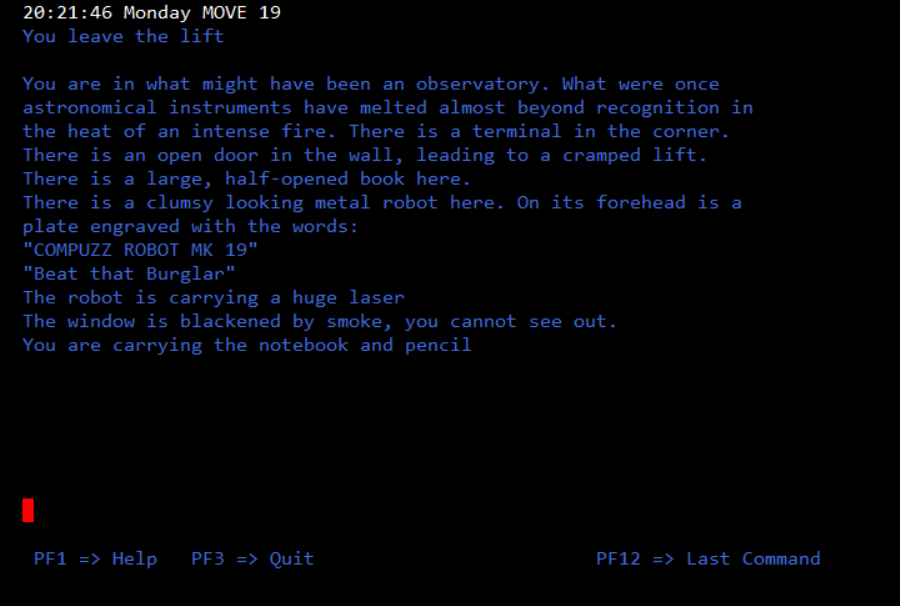
FLOOR 2: Observatory, with a COMPUZZ ROBOT. The only robot I’ve found so far (parts of the text imply there are others). Trying to touch the robot gets you killed by a laser.
I was actually intending to look more closely at the robot; this is one of the problems with an object-only interface.
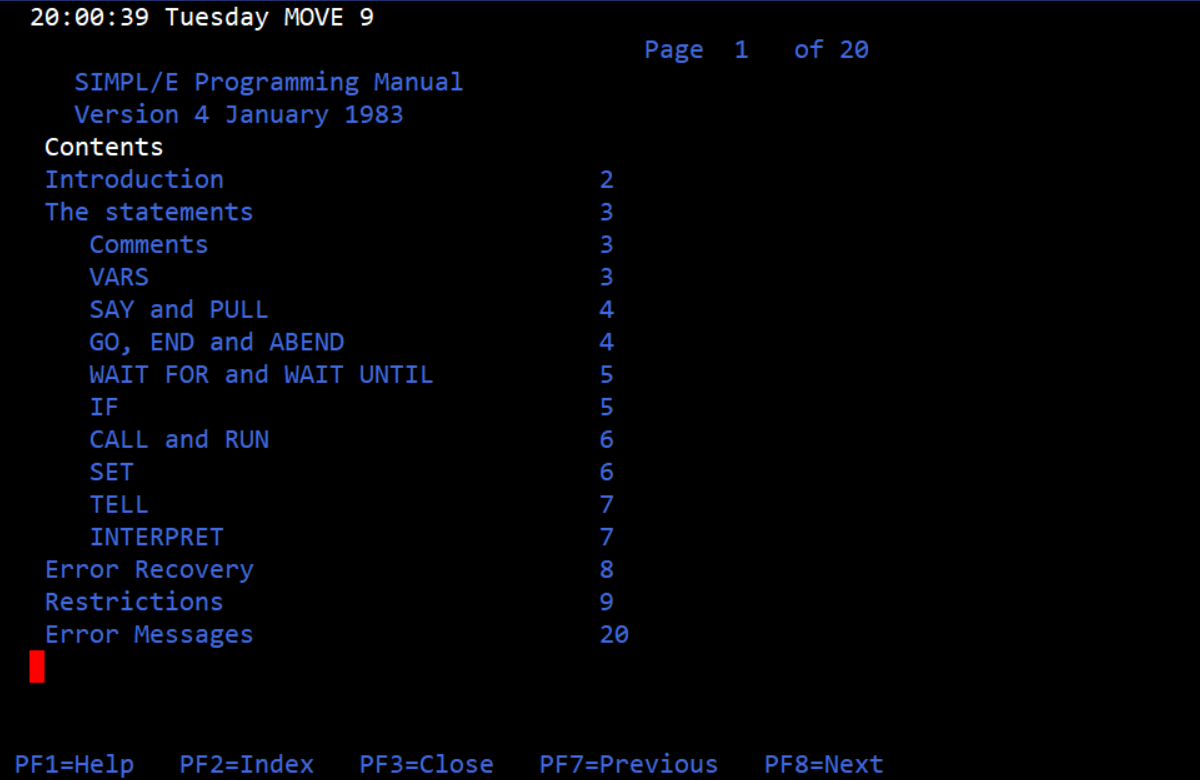
The book is the Programming Manual. While there’s an index that indicates a complete book…
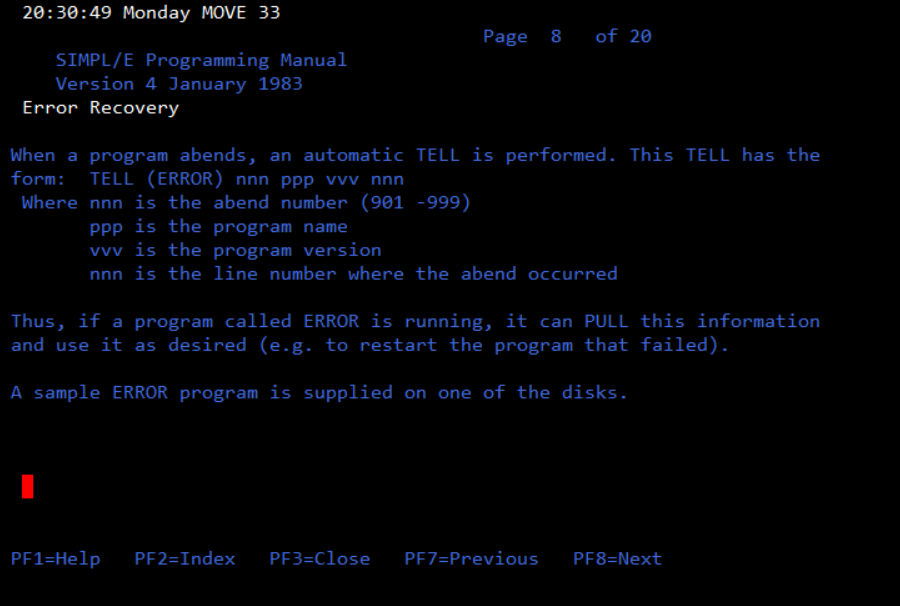
…most of the pages are gone. The only ones present are 2, 8, and 20, although there’s a bit of a joke on 16 and 17
The next page is intentionally left blank. This page is blank apart from this message.
(I’m pretty sure this is a joke on IBM manuals, which I remember being infamous for lots of INTENTIONALLY LEFT BLANK pages.)
I still haven’t tried playing around with the robot yet, although there is a sample program in the computer with two command lines:
robot = go to the door
robot = come into room please
(I think I accidentally ran this while in the room, which is why the robot ran into the elevator; if I waited another turn it would come back.)
There’s also a terminal in the observatory, but trying to use it gets the response that the terminal is disabled. There’s a program to enable it, but it doesn’t seem to work; it asks if you want the terminal enabled or disabled, and you type “enabled”, and the game responds that the terminal is disabled. I assume there’s an intentional bug here (“puzzle”) and I haven’t dug further.
FLOOR 3: You leave out to a storeroom…
You are in the storeroom. There is a staircase spiraling down.
There is a bulky space suit here, just your size.
There is an open door in the wall, leading to a cramped lift.
…and picking up the space suit wears it automatically. Note that this uses up air and if you run out of air you die, so unlike the notebook typing SUIT again will drop the suit. (The simplification makes sense, but the inconsistency still makes me grumble.)
Going DOWN the staircase you find a metal bottle on the stairs (this will swap with whatever air is on the suit), and two torn papers. The two papers are from the robot programming guide, with some highlights being: a.) they all have good vision and position sensors b.) they do not follow anything like Asimov’s laws c.) using speech with a ROBOT_VOICE command takes 1 turn and d.) you can overlap multiple commands all at the same time but it can lead to unpredictable effects.
Every other page of the robot manual is missing.
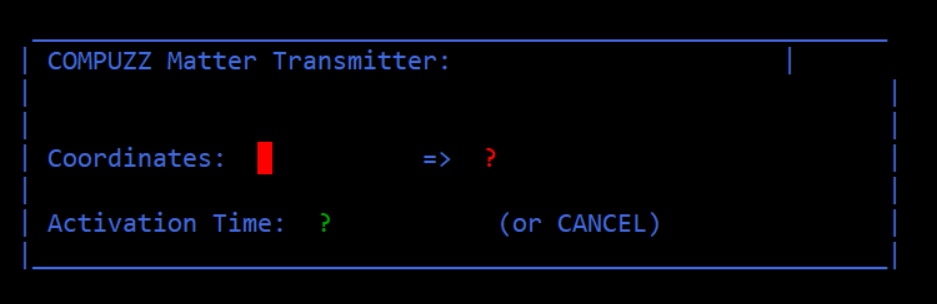
Heading down the stairs further is a matter transmitter desk.
You are at the foot of the stairs, which lead up from here.
Partly hidden by a pillar there is a large desk. An illuminated sign over the desk says. “COMPUZZ MATTER TRANSMITTER: OFF”
The prompt looks like this:
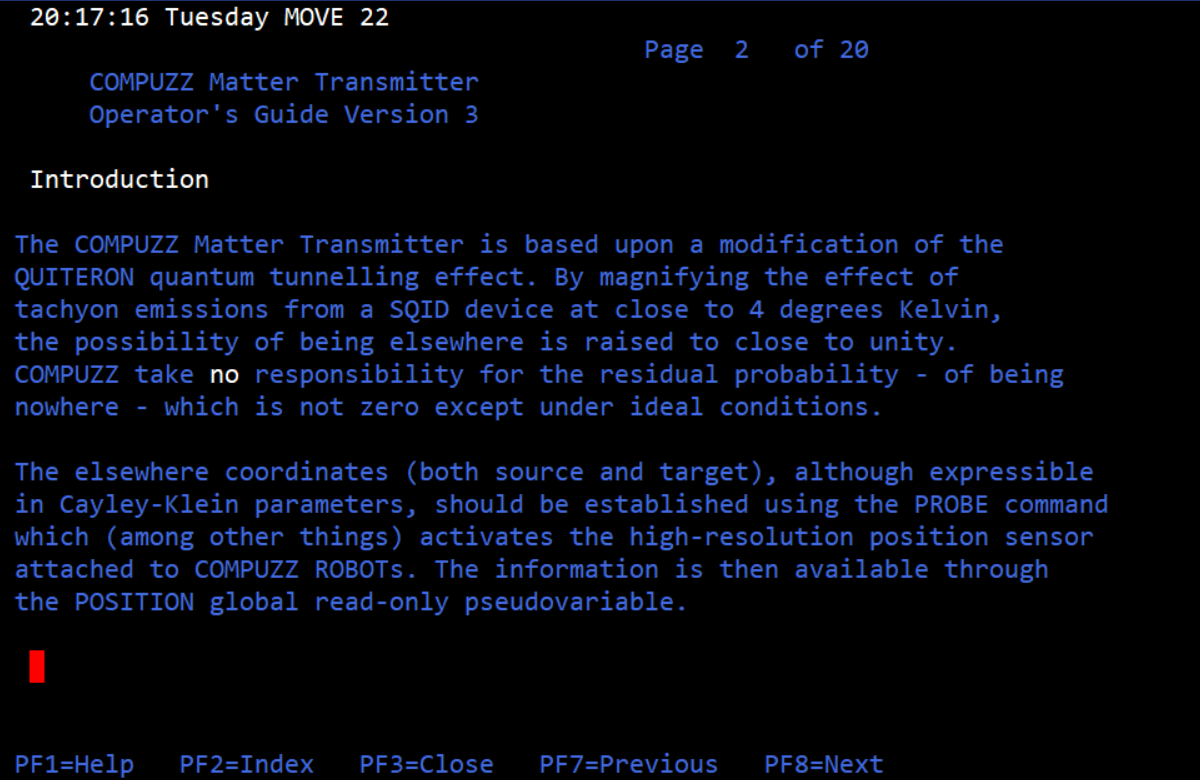
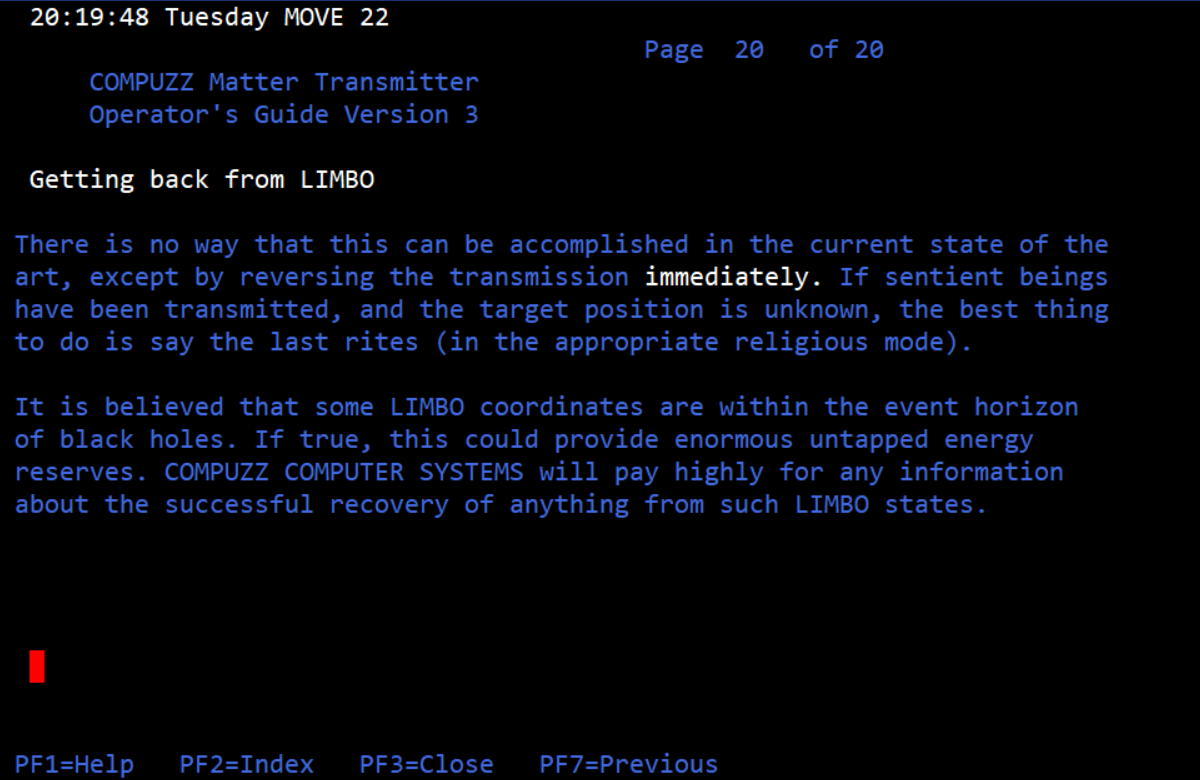
Pressing “help” here opens a matter transmitter guide, which has a page of technobabble, two extra pages of details, and mostly missing pages in between. I’ll give every single page this time:
I have not got things working yet. Even testing a small thing can take a while because it generally has to be implemented in the form of a program.
FLOOR 4: This has a hatch with a warning not to go through without a spacesuit. The hatch leads to an airlock.
You are in the hangar – an enormous cavern of a room.
To your left is the hatch of the airlock.
At the far end, the remains of the vast hangar door hang open, probably blasted by a hadronic beam.
There is a shuttle, large enough for two, parked here.
A sign on the side reads “Cardboard Mockup – DO NOT TOUCH” .
A small leaflet is posted on the wall.
There is a terminal here
Through the door you can see a corner of the Mare Imbrium, at its edge, hanging 200 klicks away.
You are wearing the space suit
The leaflet explains that the space shuttle is a “coming soon” feature and the intent is for ZENO to eventually let you travel through space and land on the moon. (This never happens, although Mitchell revisits ZENO in a printed book form — more on that when I eventually wrap up on the mainframe version.) The leaflet also implies that this version of the game is “deterministic”, that is, this isn’t a strategy game; there are particular things that will consistently happen.
The leaflet also gives a list of objectives, which is good because I believe there is no set “ending”. I’m not putting myself on the hook for any objective in particular, other than fighting off aliens.
determine the coordinates of all the places the robot can get to
write a program to detect and recover from power surges automatically
write a program to restart programs that fail
allow editing at terminals
kill off all aliens as soon as they get aboard
fill up all the disks
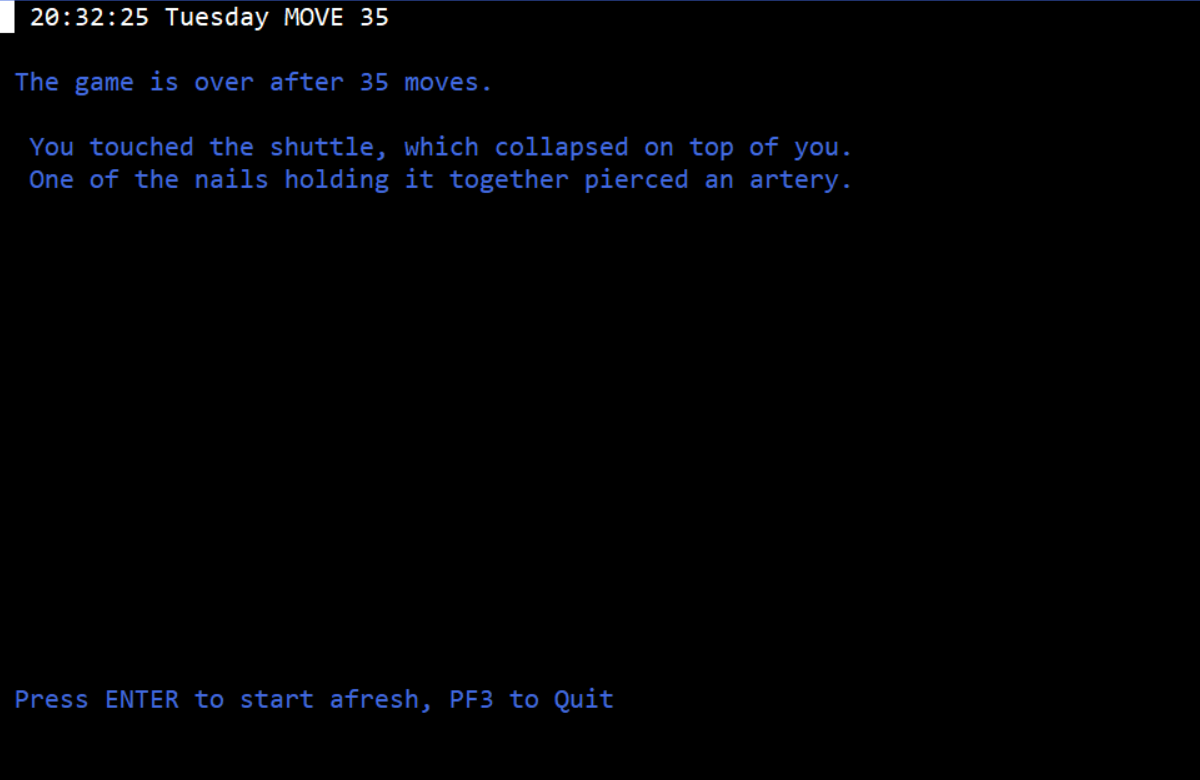
If you’re tempted to mess with the shuttle (despite it being cardboard) it kills you.
Next time I’ll discuss the robot control, the alien invasion, and hopefully use the former to fight off the latter. This might be not too far from the end, or (due to the programming taking so long to wade through, and the potential vistas the matter transmitter might open up) I might still need another two weeks to chew through everything.
The objective is to survive as long as possible against an increasingly hostile environment
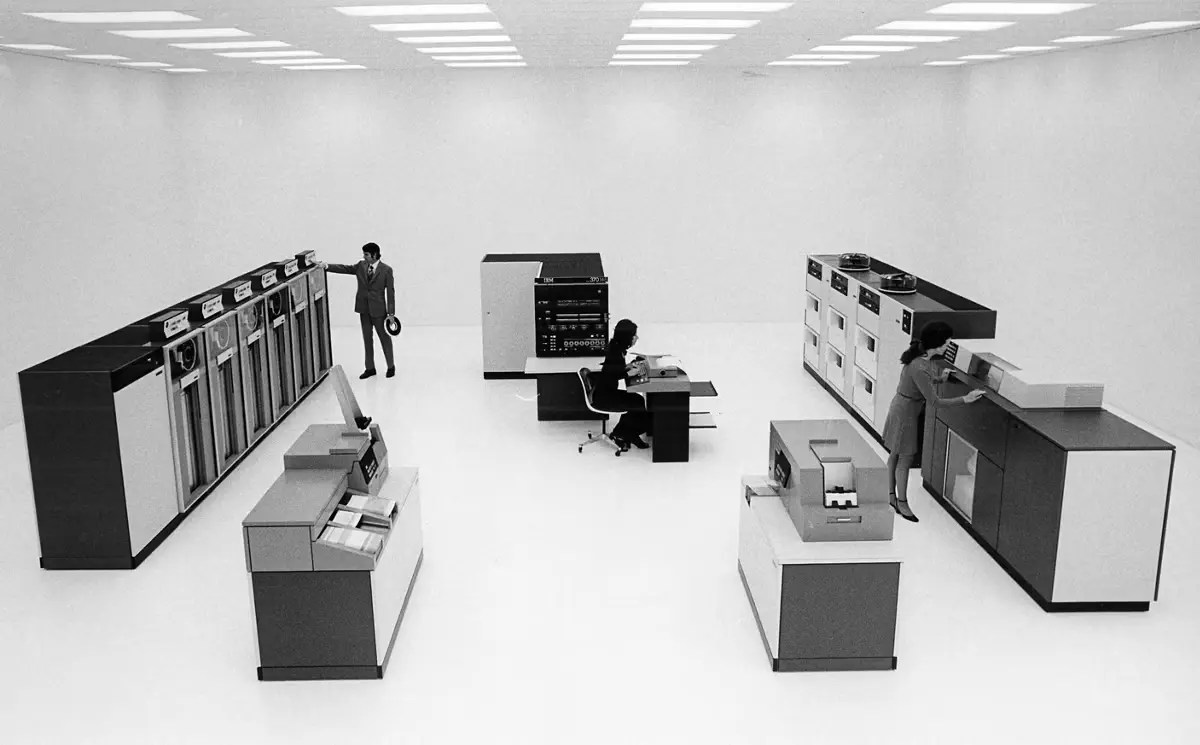
IBM as a company has only come up here so far in passing, as a competitor to other companies like ICL or General Electric. Today’s game deals with IBM quite directly in a way that requires going back in time–
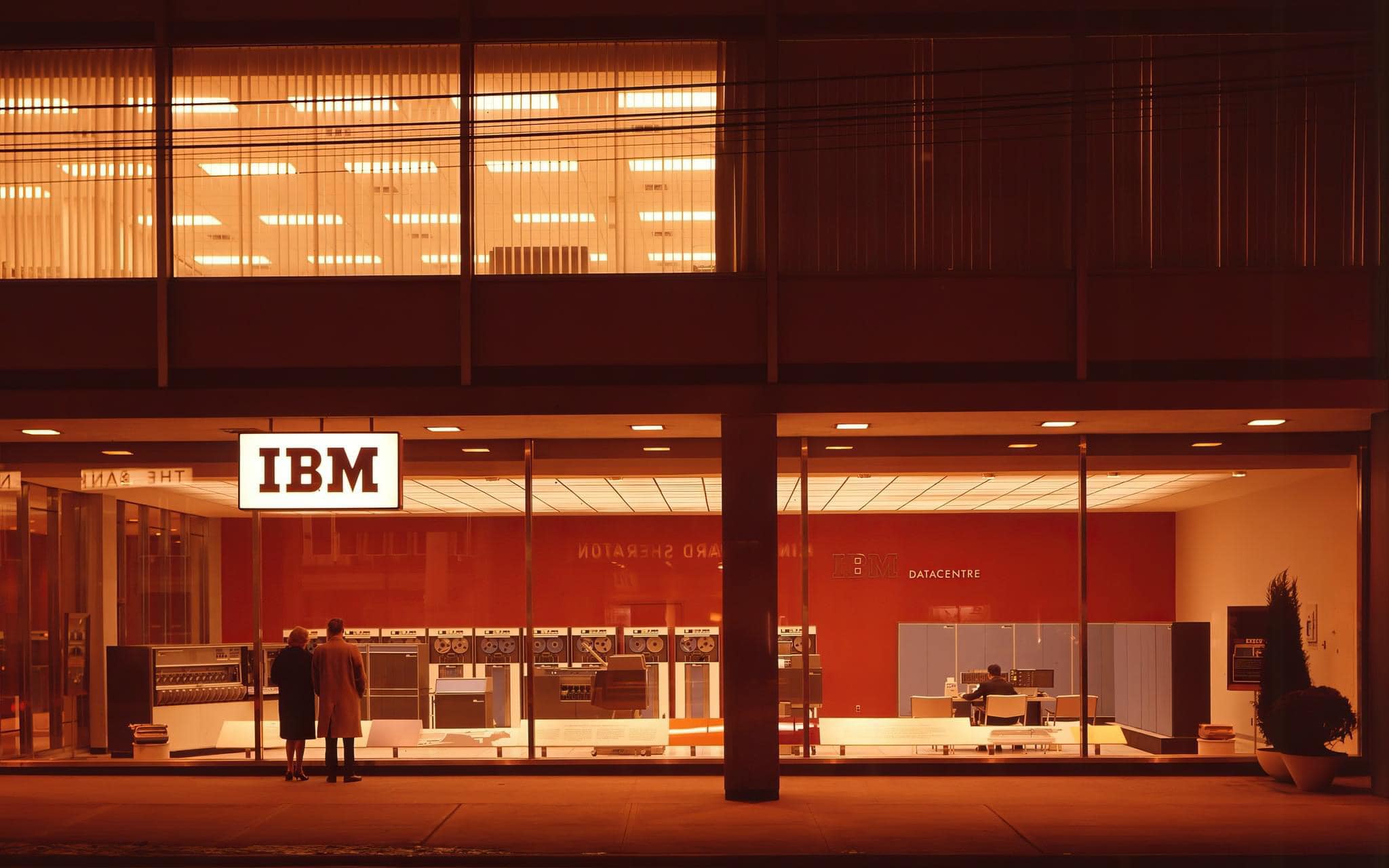
1963 photo of an IBM 1401, from George Dunbar in Toronto with more pictures here.
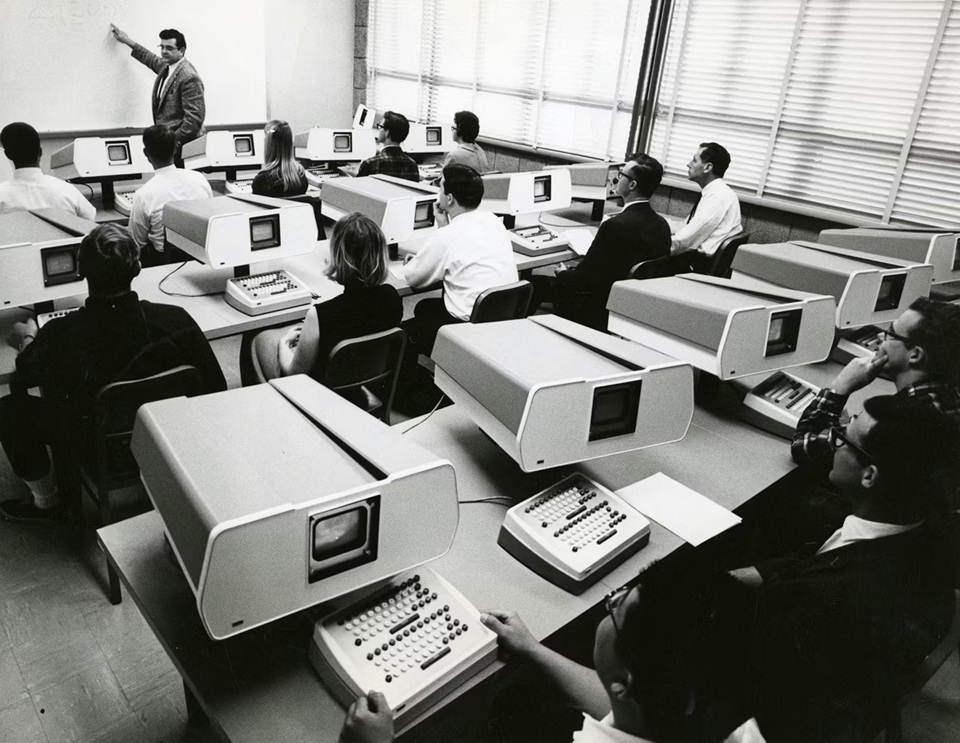
1954, MIT: in a discussion about a future where more people could use computers (that were at the time room-sized and used for one thing at a time) the legends Grace Hopper and John Backus (later famous for COBOL and FORTRAN respectively, amongst other things) brought up two opposing views. Hopper endorsed the idea of computers in parallel, many small computers linked together, while Backus instead promoted the concept of “a big computer” used as “several smaller ones”. John McCarthy, one of the time-sharing pioneers, already was thinking of the idea in 1955 and he made his first proposal in 1957, eventually using the current hardware available at MIT to implement what he called a lesser version of the idea:
This demonstration was called time-stealing, and was regarded as a mere prelude to proper time-sharing. It involved a fixed program in the bottom of memory that collected characters from the Flexowriter in a buffer while an ordinary batch job was running. It was only after each job was run that a job that would deal with the characters typed in would be read in from the drum. This job would do what it could until more input was wanted and would then let the operating system go back to the batch stream. This worked for the demonstration, because at certain hours, the M.I.T. Computation Center operated at certain hours a batch stream with a time limit of one minute on any job.
This was in 1959; the same year, Christopher Strachey (who created one of the candidates for “world’s first videogame”, see picture above) published a patent for his own time-sharing concept.
When I wrote the paper in 1959 I, in common with everyone else, had no idea of the difficulties which would arise in writing the software to control either the time-sharing or multi-programming. If I had I should not have have been so enthusiastic about them.
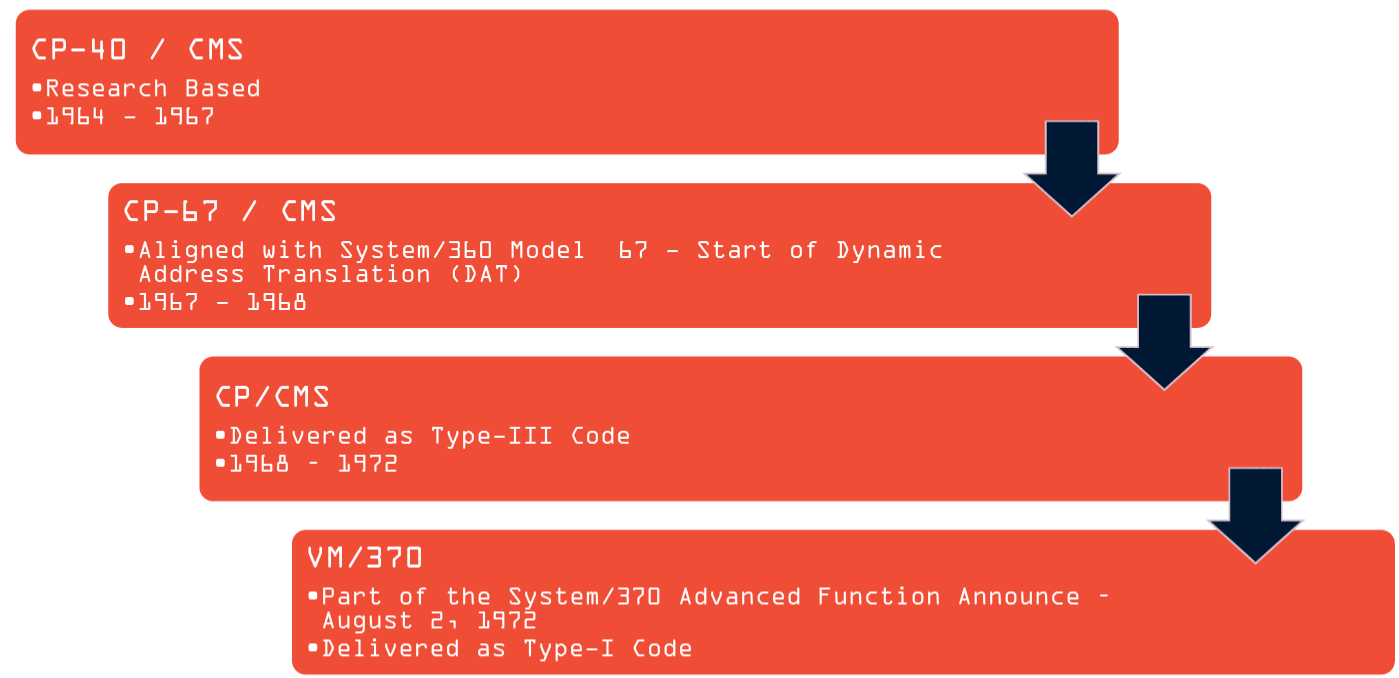
Hence, the idea was in the air: the technology just needed to catch up. The first actual working system was started in 1961 (based on McCarthy’s work) using an IBM mainframe. So while Dartmouth (with GE) was at the vanguard of computer time-sharing (1964), it is hardly surprising that IBM reached commercial time-sharing at essentially the same time, with the IBM System/360.
The original System/360 had a “Virtual Machine Monitor”; this was the overarching master system that made contact with the “metal” of the mainframe. Within this was built a CMS (Conversational Monitor System) which essentially appeared to the user like a “personal computer”; this was a way to do timesharing in a way that was essentially seamless. The user could treat the device in front of them as their own.
A young Stuart Madnick started work on the CMS at the IBM Cambridge Scientific Center in June of 1966 while still a student at MIT. He started with developing the file system, basing it on MIT and Dartmouth’s time-sharing work, then (part-time during the school year) developed the EXEC system (originally called COMMAND). EXEC was a scripting system meant to manage computer commands in sequence; a program to run other programs.
You can create simple EXEC procedures that execute several frequently used commands or you can devise complex EXEC procedures that test several logical conditions before deciding whether or not to execute a command. The logical capabilities in the EXEC processor are controlled with statements similar to the IF/THEN, GOTO, DO, and LOOP statements familiar to high-level language users.
For example, this sample from IBM compiles and runs COBOL code:
* RUNCOB2 EXEC *
&CONTROL OFF NOMSG
&IF &INDEX LT 1 &GOTO -ERR1
COBOL2 &1
&IF &RETCODE NE 0 &EXIT
GLOBAL TXTLIB VSC2LTXT CMSLIB
&IF &RETCODE NE 0 &EXIT
LOAD &1 (START
&IF &RETCODE NE 0 &EXIT
&TYPE RUNCOB2 EXEC FINISHED
&EXIT
-ERR1
&TYPE PROGRAM NAME NOT GIVEN
&EXIT
This was followed in the 70s by EXEC 2, which had more flexibility and user-defined functions; essentially, it took EXEC’s more practical approach and tried to make an all-purpose scripting language. However, it was still designed with the assumption that most lines were intended to run other programs (like COBOL compilers) and while it was possible to apply if-then logic and the like the notation in such cases was relatively cryptic.
Hence, another follow-up: the language Rex (later renamed Rexx), work started in 1979. To compare the change, here’s some EXEC 2 code…
‘COPYFILE’ fname ftype fmode ‘= BACKUP =’
if rc>0 then say ‘Copy failed with return code’ rc
The second “if” statement is more natural. Rex(x) prioritizes readability and is considered one of the predecessors to the ultra-popular Python language.
My first implementation of Rexx was made freely available over IBM’s world-wide internal network in late 1979 and rapidly became popular. The network made it easy for people to exchange ideas and make suggestions for improvements. Also, because the language was limited to one (large) organization, it was possible to make some rather large changes in response to these suggestions. For example, one change, in which the ARG instruction replaced an earlier ARGS instruction, required updating hundreds of thousands of Rexx programs.
As a result of this direct feedback, the language quickly evolved to meet the needs of its users through a number of releases over the next few years. By 1982 it had become essentially the language known in OS/2 2.1 today; its name gained an “X” to avoid any confusion with other products. Rexx was included in the third release of IBM’s VM/System Product, shipped in 1983.
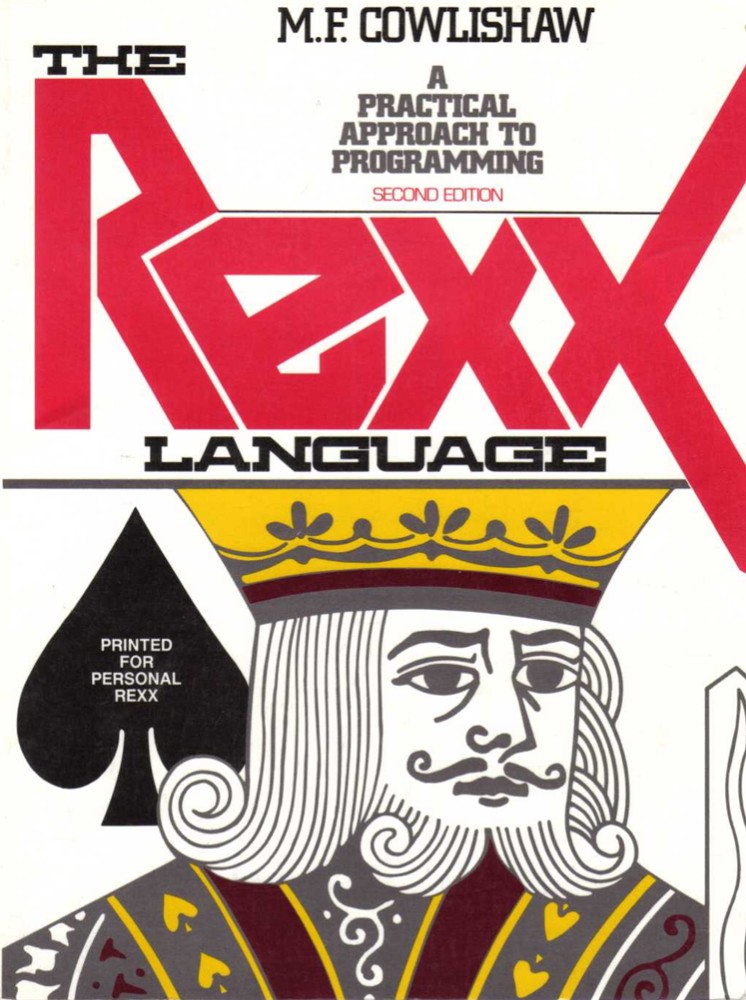
Cover of a 1990 edition of the Rexx user guide written by Cowlishaw.
(The three languages — EXEC, EXEC 2, Rexx — are still maintained to work with modern IBM systems. Corporate mainframe code can have legacy code dating back to the 70s in active use; this is why COBOL programmers are still in demand.)
All this is relevant today because not only is today’s game ZENO written in Rexx (back when the language was still internal to IBM), ZENO is a “programming game”; you are at a central computer controlling robots with programming. Regarding programming games in general, I briefly touched upon the game OMEGA in my writeup of Pillage Village; I also recommend Data-Driven Gamer’s series on the classic (and extremely difficult) Robot Odyssey. We’ve never had any that are also adventure games. (There’s some linkage to Suspended, but ZENO ends up being very different.) I’ll give the details on how ZENO works in a moment, but let me jump back to the 60s again and follow our author, hopping geographically over the Atlantic.
Dave Mitchell first went academically down a very different path than he ended up in; he got a BA in Theoretical Physics at Oxford in 1963 before doing postgraduate work in Psychology. He joined IBM in 1968, only two years after EXEC started development, although his original work was in the language PL/I. (See my writeup on Ferret for more on the PL/I language.) He spent the 1970s mostly working on “programmer training”.
Like many mainframe programmers in the 1970s, he came across Zork, becoming very interested in how “tools” were used in the game; also note that original mainframe Zork includes a section where you give commands to a robot.
As a programming teacher, he decided to riff off Zork but use it to create a programming language for robots. You are in a central base and your job is to protect it; while you can’t leave the base, you can interact with the outside world with a variety of robots.
This game generally speaking hasn’t been available for ages; it was designed to work on an IBM mainframe which was only running a short time, and it only re-appeared on the internet 5 years ago when the author (Mitchell) got the game up and running with Hercules (an emulator for running old IBM virtual machines). The part of his website that held the download is now defunct but it was rescued by Robert Robichaud (Rob in our comments); getting it running was also a Herculean feat but Gunther Schmidl managed to create a package you can download here. (As a word of warning, your virus detector may not like the setup as it runs an open port; I had to turn it off to play the game.)
Before moving on, I should emphasize that ZENO and Suspended landed on roughly the same concept from roughly the same source. Infocom’s ideas around commendable NPCs first appeared in the Zork robot, and they advanced their system with Deadline that was then re-used for Suspended. Mitchell was working independently, landing on a more esoteric outcome in being a full programming game.
ZENO is an experimental REX exec (currently in version 1, the initial prototype). It was written (in the author’s own time) in 1983:
(i) to provide an interactive environment to stimulate the learning of problem-solving skills (debugging etc)
(ii) to demonstrate the expressive power of REX (though the prototype should NOT be taken as illustrating good programming style)
(iii) to show that an interpreted language CAN provide adequate performance, even for a large complex application
(iv) to prototype a number of “Personal Computer” characteristics (e.g. a VDU scroller, command language, full-screen editor etc)
(v) to experiment with the computer control of a variety of complex devices (lifts, robots etc)
(vi) for entertainment (outside business hours)
The language being used in the game is not a “real” language but one made for the game he calls SIMPL/E (as a parody of PL/I).
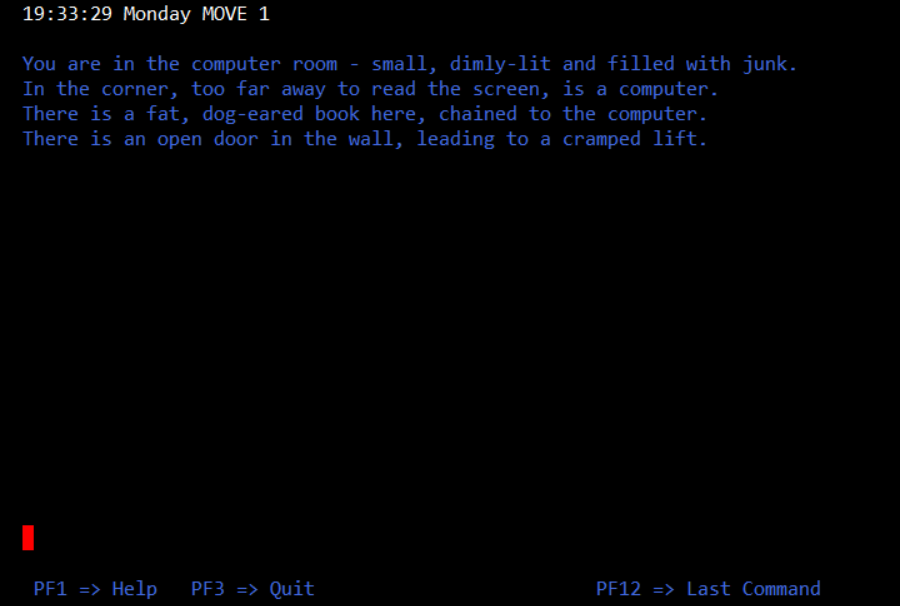
While the game technically accepts parser commands, it does so with a major simplification: it really cares about single objects, like a textual version of a point-and-click game. That is, while you can start the game with “go lift”, you really just need to type “lift” to enter it. (Or “computer” to use the computer, or “book” to use the book.)
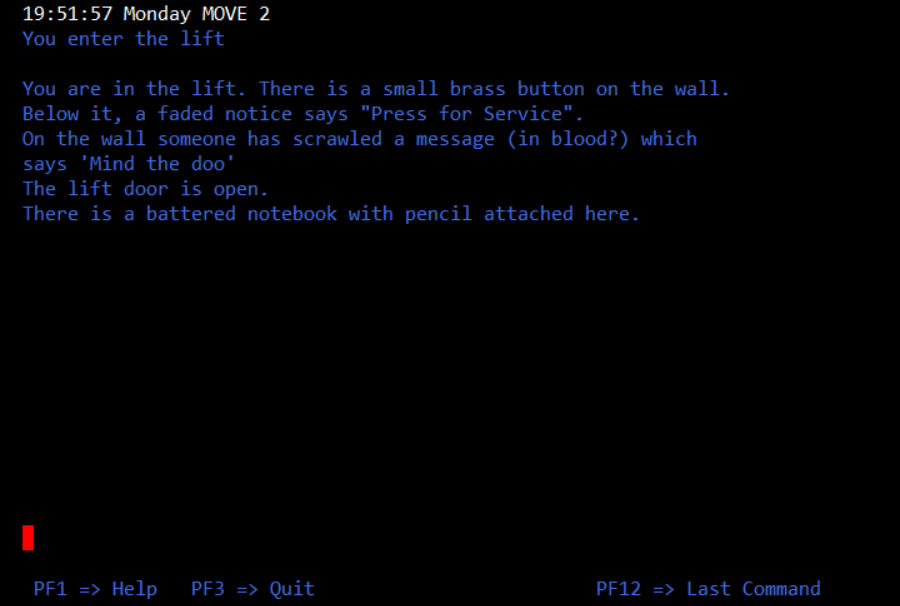
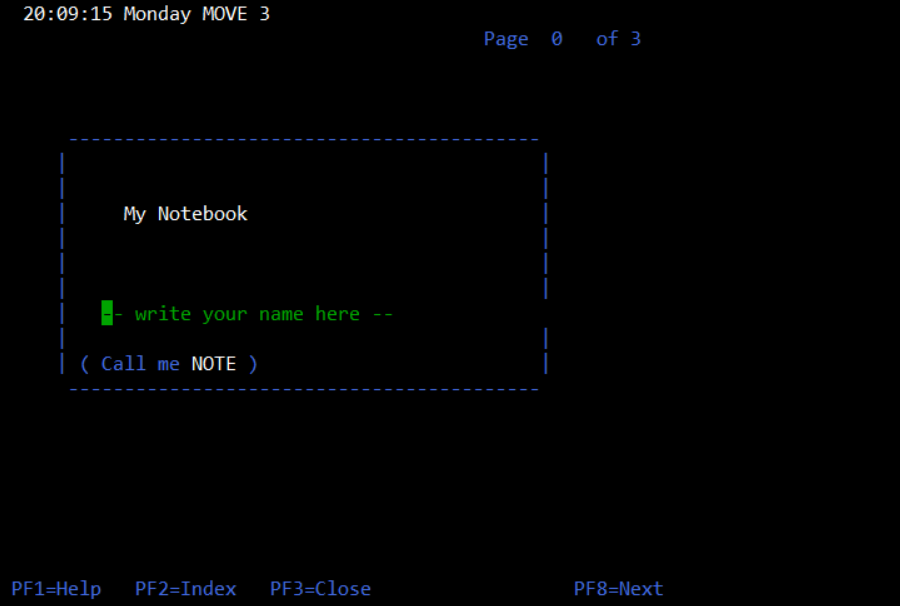
The button in the lift is broken (pressing it causes nothing to happen). Typing “notebook” will automatically pick it up and use it (your avatar will subsequently keep it on hand for taking notes). Because of the parser simplification, typing “drop notebook” will just open it again; there’s no way to drop the notebook once you have it.
Early on messages start like “the air here is a bit stuffy”. Like Suspended (and Starcross) there are environmental problems going on, and the first thing to do is to start the air pump (this is mentioned explicitly in the directions).
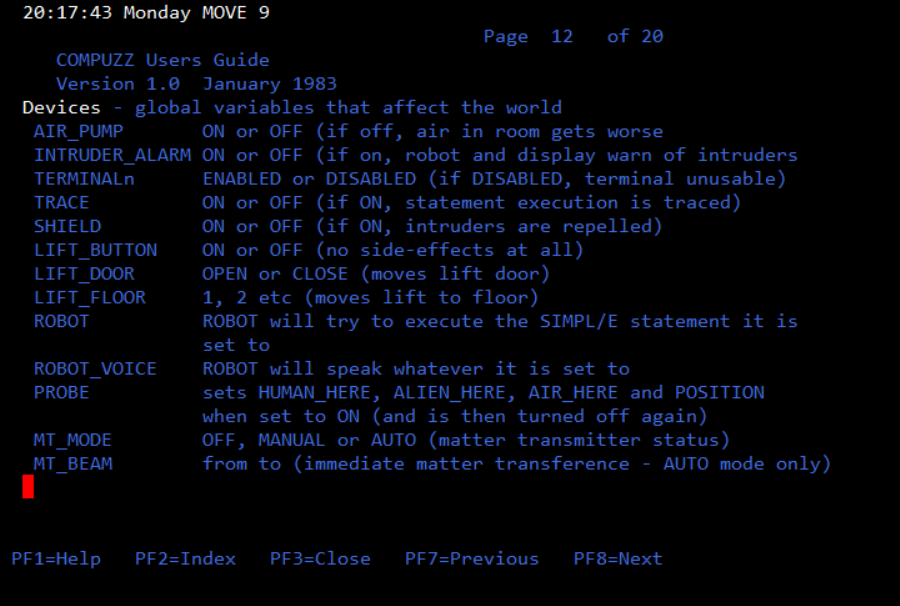
My first time through I struggled for a while to figure out the air pump as the “book” that’s in-world is rather long and esoteric, but I’m pretty sure you’re intended to use the guide the game comes with for starter commands; it’s hard to figure out how to even get going with the robots otherwise. The relevant page from the book, for reference:
The lift needs to be turned on with the computer just like the air pump; once on, the button inside works to take you to an observatory.
If you try to go to the computer and type a command, you get pulled out as
You are distracted from the keyboard because:
The robot enters the lift
The book on this floor, ominously, has many pages ripped out, but keeps information on how to handle errors from source code:
This gets extremely complicated fast, so I’ll explain the various computer features and what can be done with robots next time. In the meantime, here’s the result of typing “window”:
After you touched the window it shattered, and you are sucked into the vacuum of empty space.


 Renga in Blue